Getting Started: Your Research Capability Hub Course
| Site: | OpenLearn Create |
| Course: | Create your own RCH Course on OpenLearn Create |
| Book: | Getting Started: Your Research Capability Hub Course |
| Printed by: | Guest user |
| Date: | Friday, 20 November 2026, 11:51 AM |
Table of contents
- 1. Welcome to the RCH Course Author Community!
- 2. The Benefits of Sharing your Learning Materials as part of RCH
- 3. Your Course Topic
- 4. Four Key Considerations
- 5. The Research Capability Hub: Centring Openness
- 6. Use of Third-Party Content
- 7. Use of Gen-AI in RCH Learning Materials
- 8. Learning Design: Getting Started
- 9. Learning Design: Developing and Structuring your Course
- 10. Building Equitable, Diverse and Inclusive Courses
- 11. Making your Course Accessible
- 12. Learning Design: Activities
- 13. Assessment and Quiz Questions
- 14. Direct Authoring or OU Structured Content?
- 15. Co-Creating your RCH Course
- 16. Finding and Attributing your Assets and Openly Licensed Content
- 17. Creating your Acknowledgements Statement
- 18. Congratulations!
- 19. Further Reading
1. Welcome to the RCH Course Author Community!

Have you:
- Decided you’d like to author a course for the Research Capability Hub (RCH)?
- Been awarded RCH Flexible Fund funding to create a course for RCH?
Congratulations! You’ve come to the right place. This course has been designed to help support you as you begin to develop your course. You’ll need to make key decisions at the start of your course development journey, and this course will help support you with these.
Unit 1 of the course is focused on key considerations for all RCH course creators. Unit One covers topics such as learning design, platform functionality, accessibility and acknowledgement of sources. It ensures that you will be thinking about key quality considerations from the start and save you time when you come to publish your creation.
This Unit of the course also provides more information on the support available to you as an RCH course creator. If you have applied to the Flexible Fund, you will already be aware of some of these requirements and support in Sections 2.3 and 2.4. of the funding call's Guidance for Applicants.
Units 2, 3 and 4 will help support you if you’re adding your own course content directly on the OpenLearn Create platform (sometimes referred to as “direct authoring”). It gives you step-by-step guidance to setting up your course for RCH and instructions for different types of platform functionality. Although there’s a lot of information in these sections, don’t worry! You are likely to only need a couple of sections to help you set-up your course, and it’s been designed so you can easily select what you need.
As part of our commitment to co-creation, this course and our support offer will be updated annually, based on feedback from RCH course creators. You will have the opportunity to give feedback as part of our collaborative process.
We hope this course will help you in your course creation journey and support you in creating fantastic learning materials for social scientists!
By the end of this unit, you should be able to:
- Outline key learning design considerations and apply these to your RCH course.
- Create a course that reflects the needs of different and diverse learners.
- Develop course content and assets that are inclusive and centre accessibility.
- Identify openly licensed resources to use in your RCH course.
Let's start by considering the benefits of sharing your learning materials as part of RCH.
Estimated study time for this unit: 2.5 hours.
2. The Benefits of Sharing your Learning Materials as part of RCH

Before we get started, it is worth reminding ourselves why sharing our learning materials on OpenLearn Create (OLC) as part of the Research Capability Hub (RCH) is beneficial. Reasons include:
- Your learning materials will contribute to a nationwide ESRC funded initiative.
- You are helping support social scientists across the UK and around the world in their learning and development.
- You will be contributing one of fifty courses that RCH will create to address gaps in social science training provision.
- OpenLearn Create is a high impact platform and receives 3.4 million unique users per year, from around the world.
- When you author content for RCH you are contributing to freely available, open licensed learning materials that can be accessed at any time by social scientists around the world.
- RCH will recognise and promote your work, which will help support your own career development.
- RCH will support you in the development of your learning materials through this course and your allocated RCH contact.
Excited? We hope so! Let’s now get started.
3. Your Course Topic

You’ve probably already got an idea of what your course will focus on. If you’ve successfully applied for the Flexible Fund, you will have already provided information in your application on aspects of your course such as its design and learning objectives. The following sections of the course will help support you deepen this initial work and understand what you need to do to ensure you meet the criteria outlined in the funding call.
Not a Flexible Fund recipient? The RCH team is here to support you. If you haven’t already reached out to RCH to discuss your course idea - and how it fits with the overall RCH suite of courses – now is the time to do so! Before moving on to the next section of the course, email RCH and get the conversation started: rch-enquiries [at] open.ac.uk.
Please note that co-creation and collaboration are at the heart of RCH course development. If you would like to have your course included as part of the RCH Collection, it is essential that you discuss your plans with us. You will need to develop your course – or redevelop existing content you would like to share with us - to certain standards. In addition to this course, we provide all course authors with a detailed checklist that aligns with the course content and your development timeline. We will also discuss how we can best work together as you develop your course.
4. Four Key Considerations

There are four key areas to consider when you begin to design and author your course. These are:
- How you will design and structure a course that is meaningful, cohesive and well-structured for your intended learners.
- What kind of functionality your course requires, e.g. what your course will look like and what features it needs.
- How you will ensure that your course content is accessible to learners.
- How you will ensure that your course uses appropriate third-party content (where applicable) and is properly attributed.
These considerations are important to think about at the start. They encompass broader considerations such as learning design, and how you ensure that your course meets the needs – and is accessible to – different types of learners. We also need to ensure that our RCH creations are properly attributed so that they can be (re-)used by others. Considering these aspects and collecting relevant materials and information that you need as you go – rather than at the end - will also ensure your meet the quality requirements of publishing for RCH on the OpenLearn Create platform. This will also save you time when you come to publish your course!
Unit 1 of this course provides information on all these aspects.
There are also some key questions to answer or consider when starting to develop your course, which relate to learning design, and which influence functionality. These relate to what your course will look like and how it will work. What type of activities will you include? What criteria will learners need to meet to be awarded a statement of participation and/or digital badge for your course?
Thinking about the type of platform functionality that you need is especially important if you’re considering direct authoring onto the OpenLearn Create platform. This is because direct authoring is facilitated via a custom version of the Moodle learning management system (LMS). If you are funded by the Flexible Fund and decide to hand over your course materials so that RCH can add these to the OLC platform, you will have slightly more functionality available through The Open University’s structured content route, which uses Oxygen XML. You’ll have the opportunity to review different platform functionalities later in this unit of the course.
5. The Research Capability Hub: Centring Openness

The Research Capability Hub centres openness in the creation of learning materials, to enable as many social scientists as possible to benefit from our training offer. This means that our courses are:
- Available to use at any time.
- Downloadable and accessible offline.
- Wherever possible openly licensed to support reuse and localisation for different contexts.
As an RCH course author, the licensing aspect is particularly important to understand as it impacts on what others can do with your content, and what you need to do whilst you are creating your course to ensure correct attribution and licensing.
We aim for all RCH courses to be openly licensed on a Creative Commons license. Creative Commons licenses work with copyright, enabling a resource’s creator to give permission upfront for reuse in specified ways. There are six Creative Commons licenses, and a tool (CC0) to support authors releasing their content into the Public Domain. Find out more about Creative Commons and their different licenses.
Ideally, new course content produced for RCH will be licensed on a Creative Commons Attribution 4.0 International (CC BY 4.0) license. This is a requirement of Flexible Fund courses. This license enables others to reuse our courses within both commercial and non-commercial contexts, share them with others and make changes to them, with the requirement of appropriate attribution and linking to our original course and the license deed. This supports the sustainability and integrity of our assets and in the future will enable social scientists to build on our course material, to better suit their own needs and contexts.
If you are using existing course content as the basis for your RCH course, you will also need to consider copyright and licensing. For example, if you are using All Rights Reserved content you will need to get permission from the copyright holder for its reuse. If existing course content is already on an open license you will need to check the license type. If it contains the No Derivative (ND) element, then you won’t be able to make changes to the resource. If it includes the ShareAlike (SA) element, then this requirement to license new creations on the same license will impact on how you license your new creation. If you are combining openly licensed resources, you will also need to be mindful regarding any content with an SA element as different SA licensed content (e.g. CC BY-SA and CC BY-NC-SA) cannot be remixed.
As you write your course, you will want to add images and potentially other assets – such as video and audio – to your course. You may already have assets in mind or need to search for these. We look at where to find compatible resources and how to ensure that you capture and provide the necessary information for your Acknowledgements statement in Creating your acknowledgements section later in this unit. In the meantime, let’s take a closer look at important considerations to think about at this stage.
6. Use of Third-Party Content

As we are creating openly licensed learning materials for RCH, you should try and ensure that any third-party content you include in your course is also available on an open license. You can find out more in Finding and attributing your assets and openly licensed content about where to find openly licensed images and how to keep a track of what you include.
Aside from text, most assets you will include in your course will be discreet (e.g. an image or video). Consequently – as you are not combining these - the type of open license they are available on won’t impact the overall licensing of your course. You can find out more about how to create an accurate and complete Acknowledgements statement in Creating your acknowledgements section later in this unit. This section of the course also discusses how to ensure you keep a track of the required information for each asset – regardless of their licensing - that you incorporate into your course.
However, if you are intending to remix existing openly licensed textual elements to create a mash-up (so individual textual elements cannot be separately identified) you should ensure that your CC licenses are compatible. In particular you should be attentive to the use of ShareAlike licensed materials, which have a requirement for remixes to be released on the same license as the original. You should also ensure that all elements are correctly attributed in your Acknowledgements statement. There are some examples of statements where remixed content was used in the Creating your acknowledgements section. Please reach out to your RCH support contact to discuss further, as needed.
If you are considering using existing third-party assets which are licensed as All Rights Reserved, it is important to consider timelines for permission to reuse these and any cost that might be incurred. Please note that RCH is unable to support the cost of reuse of third-party assets. This means you should ensure that when you select and using existing content for RCH, you are either:
- The copyright holder.
- Are using existing materials that are in the Public Domain or on an open license.
- Already have permission to reuse an asset and can provide evidence this.
If you are unsure of the copyright status of any resource you are considering, get in touch with your RCH support contact to discuss further. We’re here to support you!
Now that we’ve briefly introduced Creative Commons licensing, we’ll take a closer look at the practicalities of finding and attributing resources later in Section 1.16 of the course.
7. Use of Gen-AI in RCH Learning Materials

It is essential that you are explicit and transparent about your use of any Generative AI tools in the creation of RCH courses.
First, it’s important to consider why you are using GenAI in the creation of your RCH course. Please keep in mind the environmental impact of using GenAI and whether it’s really needed for what you are trying to achieve. For example, if you’re struggling to find a relevant image, we’re here to support! We can highlight appropriate openly licensed images that you could use.
However, we also appreciate that there are a range of tools which you may find beneficial to use in the creation of your course. GenAI tools might be used to condense text you’ve written or support you to develop an overview of topics on a particular subject. Central to any use of GenAI is the critical appraisal of output. We expect that any third-party content you choose to include in your course – including that generated by AI – is reviewed and checked for accuracy by you, the expert and author of the course. Whilst RCH courses undergo a robust series of quality checks, as the course author you are responsible for ensuring the accuracy of course content.
You are also required to include an appropriate statement regarding use of GenAI in your Acknowledgements statement. This helps others understand how you have used GenAI tools to create your RCH course. Please ask your RCH contact for example statements that you can modify for your purposes. Keep in mind that – as with third party content and images - to create the correct statement, you will need to keep a record of how and when you are using Gen-AI tools (for example, tool used, prompts).
Please note that there are also potential copyright implications of using GenAI content within your course. As of August 2026, there remains no UK case law regarding the copyright status of GenAI outputs. Whilst in the USA, for example, AI created outputs are regarded as being in the Public Domain, this does not apply to the UK jurisdiction. Given this lack of clarity, and the evolving situation, we therefore strongly recommend that you discuss any intended use of GenAI tools with your RCH support before you start authoring your content.
Now that you’ve a better understanding of some of the copyright and licensing considerations, we’ll move to taking a deeper look at how to design your course so that it’s an exciting and engaging experience for your intended audience!
8. Learning Design: Getting Started
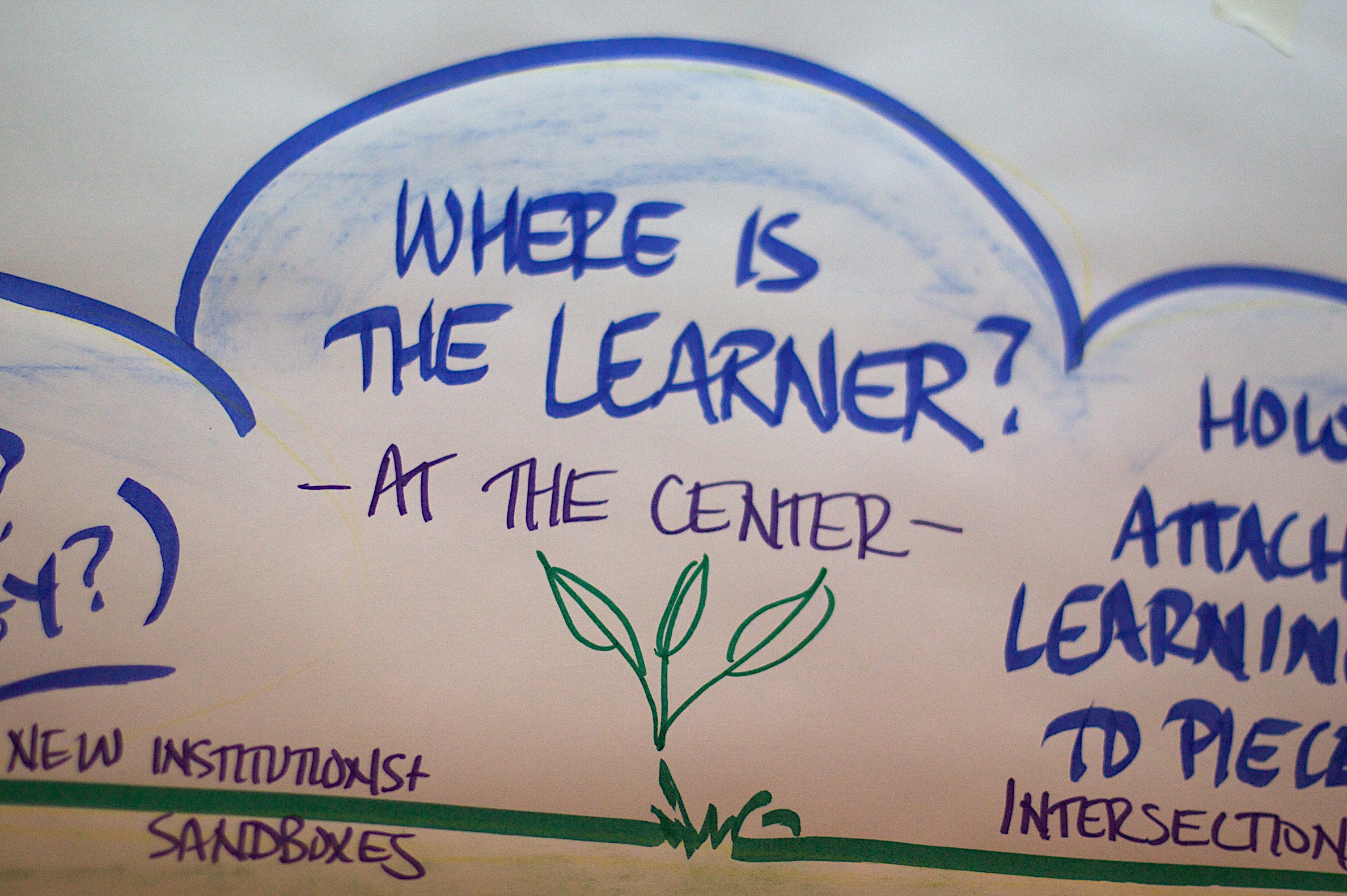
Social scientists are at the heart of the Research Capability Hub. Our courses and activities should therefore be designed to reflect a range and diversity of different social scientists and their needs.
The next few sections are focused on learning design and how to put the learner at the centre of your course. These sections are not intended to be exhaustive but should give you a solid foundation for developing a great course! We’ve also added some resources to the Further Reading section incase you want to explore and go deeper on different topics.
It's essential that your course for RCH is a structured, engaging experience that helps your learners to understand what they’re learning and retain it. To do this, you need to understand who your learners are and what motivates them. You should therefore be clear about your intended audience.
Activity 1: Reflecting on your learners.
Allow around 10 minutes for this activity.
Before reading further, take 10 minutes to consider the following questions:
- Who are your learners?
- What is their starting point? What are the enablers and barriers to learning?
- What outcomes do they need to achieve?
- What will they learn?
- How will you measure success?
Make a note of your responses.
To help you develop and deepen your answers to these questions and think about your intended audience(s) in more depth, you may want to develop several learning personas. Learning personas help you develop a deeper understanding of the type of learner you are writing for, through identifying what needs they might have and what they will find motivating and engaging. You may find this learner persona template useful.
Developing more than one persona is also important to ensure that you represent – and are considering – different types of learners when you are designing your course. You should:
- Use data and evidence to inform learning personas, including learners from underrepresented groups and early career researchers.
- Refer regularly to your learning personas throughout your design process to ensure that you cater to different needs wherever possible.
You may have already developed learning personas as preparation for your Flexible Fund application. If so, great! If not, don’t worry as there’s time to go deeper at this stage. You may also find this helps you refine your existing course ideas and plans.
Once you have developed a deeper understanding of your learner(s), you should build your course on the following principles:
- Learning outcomes: What your learners should be able to do by the end of your course.
- Ensure that you make learning outcomes SMART (Specific, Measurable, Achievable, Relevant and Time-bound). Find out more about SMART learning outcomes.
- Avoid verbs like understand, know, be familiar with or be aware of and use measurable verbs.
- Consider how course activities and quiz questions relate to your learning outcomes.
- As well as your overall course learning outcomes, you should also provide 2-3 learning outcomes per unit.
- On a practical note, please note that your course learning outcomes should be no more than 1000 characters total, including spaces, and in plain text, so they can display correctly.
9. Learning Design: Developing and Structuring your Course

Now that you have a clear idea of your learners and what their learning journey looks like, let’s take a closer look at your course’s structure.
Resource Metadata Form
Some basic information about your course will be collected in your initial discussions with the RCH team. If you are direct authoring, you will also be asked for this information when you set-up your Resource Metadata Form. For example, you will be asked for information such as:
- Course full name (50-character limit recommended).
- Course summary (30 words or less)
- Subject (your RCH point of contact will provide a list of these)
- Skills (your RCH point of contact will provide a list of these)
- Course level.
- Duration.
If you are direct authoring, and/or interested in the set-up for OpenLearn Create, you can find out more about the Resource Metadata Form in section 2.3 Creating a Space: Your Resource Metadata Form.
Your Course Structure
As you begin to structure your course, you will need to ensure that you consider the following:
- The length of your course will determine the number of words you need to write. An average reading speed is usually calculated as 70 words per minute. In addition, you will need to calculate the time for other course activities such as watching video footage (which is calculated at three times the asset length), completing activities such as quizzes, etc.
- Include an introduction to your course. This should set out the aims and context of the course, intended audience, course length and include details about the course creators. RCH courses also include standard text – which we will provide – regarding creating an OLC account, badges and statements of participation (where applicable) and what you need to achieve these. All RCH courses also include pre- and post-surveys, and we can also share the results of these – along with other course analytics – with you. This information will form the content for the Course Description tab on OpenLearn Create. Your learning outcomes will appear separately at the bottom of this text on OpenLearn Create.
- For consistency, RCH courses will use the same image for the course banner and main course image. The course image appears as a ‘thumbnail’ in the main listings. This version of your image should be 670 pixels wide and 500 pixels high. The course banner appears on the course homepage and should be 785 pixels wide and 350 pixels high. Please ensure that your chosen image works well for these different sizes and proportions.
- Consistency for the reader is key. Each unit should be structured with sections and sub-sections. You should use two heading levels: heading level 1 for a new section (which should be numbered) and heading level 2 for sub-sections. Each numbered section should ideally be under 500 words. Each unit, section and any sub-sections should have clear, concise headings, so what material the course covers at each point of the course is clear on the table of contents.
- Aim to include images (and other assets, e.g. embedded video) at regular intervals throughout each unit.
- To consolidate learning and encourage reflection on course material, each unit should begin with an introduction, 2-3 learning outcomes and include an activity, and/or end of unit quiz etc. You should include a summary at the end of each section.
- If you are including links to resources in your course (see the next bullet point for an example), ensure these are hyperlinked and you use meaningful descriptive text. Keep a record of the link separately for asset clearance.
- For academic citations, ensure you include in-text citations (which do not need to be hyperlinked) and an accompanying list of references in your course. You should use the Cite Them Right Harvard referencing system.
- Please note that any quotes that are more than 50 words of continuous text will also need to be reviewed by our copyright team. Please highlight any use of quotations accordingly and discuss further with your RCH point of contact.
- Include Further Reading sections at the end of each unit so that learners can deep dive on topics they are particularly interested in.
- Include an Acknowledgements section at the end of the course. This section will include a statement on the overall licensing of the course and information on any exceptions, e.g. third-party assets such as images, videos etc. that you’ve included in the course. We’ll discuss this in more detail in Creating your acknowledgements statement.
- You may have noticed that we use specific terminology in RCH courses. We prefer the term learners rather than students or participants. We use the first-person and directly address learners by using "you" rather than the third-person. We also use the term course rather than module. As we’ve seen in this section, each course is structured by units – rather than modules or chapters -and each unit contains sections and sub-sections.
To help put this information into context, take a closer look at some RCH examples on OpenLearn Create:
- The RCH course Designing Mixed Methods Studies.
- The RCH course Becoming a Professional Researcher.
10. Building Equitable, Diverse and Inclusive Courses

When you’re writing your course, you’ll want to make it engaging and interesting to your learners.
- What do you want the learner experience to be?
- How will you create a sense of belonging and bring learners on a journey?
- How can you offer flexibility and choice to learners in achieving outcomes and demonstrating their learning?
You should ensure that you:
- Use a friendly and conversational style of writing to engage learners.
- Use plain English, avoiding idiomatic expressions or exclusive cultural references.
- Explain technical terms when they are first introduced.
- Include different people and perspectives.
- Reflect different geographical locations (e.g. urban, rural, different regions of the UK).
- Avoid bias and are diverse in gender, culture etc.
11. Making your Course Accessible

As outlined in the Accessibility statement for OpenLearn, the OpenLearn Create platform is similarly set-up with features so that learners can display course content in a way that works best for them. This includes being able to adjust font size, colours, transcripts and downloads, use of screen readers etc.
However, for other assets such as images, PDFs, videos, audio etc. you will need to both provide appropriate information on the licensing for these and ensure that they are made accessible for learners. Information on creating ALT text for images is provided below and you can also consult the Every1 Accessibility Guide which will help support your creation of accessible stand-alone assets that you might want to include in your course.
Please note that if you are direct authoring you will also need to generate a final Word copy of your course before you add it to the OpenLearn Create platform. This provides the basis for the downloadable versions of your document (PDF and Word). Providing remixable formats such as Word document also supports future reuse of your course. Please share with your RCH point of contact as part of your course development.
ALT text for Images
You are likely to use a variety of images in your course. Some images might be decorative – that is, they are images that do not have any learning benefit. These don’t need alternative (‘alt’) text.
However, other images provide useful information for learners. These images need alternative (‘alt’) text and potentially long descriptions so that any of your learners relying on a screen reader will be able to find out what is included in the image.
It is also helpful for when images cannot be loaded due to data or bandwidth restrictions.
Alt text should typically be up to 750 characters (including spaces). How much detail you go into depends on what your learners need to know. If you're showing them a graph to show how a trend increases steadily over time, you only need to say that. If it's important that your learners know a percentage for each year, for example, then you need to include that detail. Any text should be written word-for-word and any data should be described fully.
You do not need to caption or number images in your course.
Why do we need Link Text?
Links always need clear and meaningful text so that everyone can understand where the link will take them.
People who use screen readers will often list links separately from the page. They need to have links that make sense when read out of context. Links that are worded ‘Click here’ or ‘Read more’ don’t provide any information on the purpose or destination of the link.
People who use screen magnifiers also need descriptive link text. They can’t easily read the surrounding text and will rely on link text being clear and informative.
Finally, if you are linking out to external resources in your RCH course you also need to keep a separate list of these so that they can be checked as part of our quality review. Please keep a separate list of all URLs in your course and submit these alongside your Acknowledgements statement. We will check these to ensure that we can link out to the content you’d like to include. To save time, we recommend that you add these to a separate list as you go, for example whilst hyperlinking text within the course text itself.
How to write Meaningful Link Text
Usually, the best way to write your meaningful text is to look at the name of the page you’re linking to.
For example, if you were to add a link to The Open University’s website, you might embed your link under the words The Open University’s website.
Transcripts and Subtitles on Video and Audio
All learners can find alternative formats useful, depending on the context in which they are learning. For example, transcripts can help them to follow a video or a piece of audio and make notes more easily.
Transcripts and subtitles make video and audio files more accessible to people with visual and hearing impairments. Video editing software has the functionality to add subtitles and captions. These should also be included in the transcript. If there are key visual elements not described in the audio of a video, you should include visual descriptions: W3C guidance on writing descriptive transcripts will help you do this.
Video and audio files with a music soundtrack playing while a voice is speaking may not be accessible for everyone. It is harder to absorb spoken information through a continuous musical soundtrack, especially if the music is loud. If you are creating new video or audio for your course, use background music sparingly so that it enhances rather than overwhelms the message being conveyed.
If you are direct authoring, you can find out more about how to add captions and transcripts to OpenLearn Create in Unit 2's Embedding a video, adding an audio and transcripts.
12. Learning Design: Activities

We saw earlier in the course how examples and pertinent images can liven up your course and make it relevant and interesting to learners. As you develop your course, you should include different types of activities to help learners engage with the topic(s) you are covering. For example, learners could watch a video and share their responses to a related question, read an article or find other examples and share them.
Having a blend of different types of activities in your course is beneficial to learners and is one way to ensure your course is engaging. Below is The Open University’s Learning Design Activity Types Framework which shows five different types of activity and the type of terminology associated with each.
Table 1: The OU Learning Design Activity Types Framework
|
Activity type |
Example terms to use when designing activities |
|
Assimilative |
Read, watch, listen, think about, observe, review, consider study |
|
Communicative Discussing with others |
Communicate, debate, discuss, argue, share, report, collaborate, present, describe, question |
|
Finding and handling information Searching for and processing information |
Search, use, list, order, classify, analyse, select, evaluate, collate, plot, discover, manipulate, visualise |
|
Productive Actively constructing an artefact |
Create, build, write, make, design, construct, produce, draw, compose, record, remix |
|
Practice Applying learning in a real-world or simulated setting |
Practice, apply, mimic, experience, explore, investigate, perform, experiment, trial, model, simulate, improve |
When you are thinking about your course, try and use a range of different activity types. You may find that some activity types are more suitable for your course than others. Different activity types may also require additional action and support from you. For example, asking people to communicate and share information will mean that they must have somewhere to do this (e.g. a forum, which will need to be monitored). Remember that if you ask a question in an activity, you should either provide a response to the question or advise learners that there is no answer provided (e.g. reflective questions).
RCH courses are standalone, with no requirements regarding participation at a certain time. We therefore anticipate that you will use assimilative, productive, practice and finding and handling activity types. These types of activities include watching videos, reading, opportunities for reflecting on one’s own practice and activities that support learners planning appropriate activities for their context.
You should consider including one activity per hour of reading. For Tier 1 courses, which are five hours minimum, we anticipate that you include at least five activities spread evenly across the course content.
When presenting your activities in your course text, you don’t need to number these. However, you do need to ensure that they have header text as follows:
Activity: [Short, one-line description of activity].
Allow around [insert number] minutes for this activity.
13. Assessment and Quiz Questions

In addition to activities to help consolidate learning throughout your course, you may also want to add quizzes to your course material. Quizzes can play different roles in a course, as you can see in this overview of Four types of online quiz and how to use them.
Whatever approach you take, we ask that all RCH courses include a summative assessment in the form of an end of course quiz. This quiz will check whether learners have met the course’s learning outcomes. You should aim for around 10 questions, with a mix of question types. A score of 80% is recommended and learners should be able to make multiple attempts.
Whether you are direct authoring or working with the RCH team to put your course on OpenLearn Create, there’s different types of quiz functionality available to you. You should aim for a mix of question types, such as multiple or single choice questions (so learners select one or more responses), missing word questions, drag and drop, matching, pattern match, true/false and numerical. You can find out more about how to develop your quiz questions below.
In RCH courses, successful completion of the end of course quiz - in addition to reading through all course material - will lead to issuing of a statement of participation and/or digital badge. Standard text will be provided for you to either add to the course or be added on your behalf. Please speak to your RCH point of contact for more information.
Developing your Quiz
Before you build a quiz online, it is important to work out what the quiz questions will be and to test them out with colleagues.
The primary purpose of quiz questions is for learners to check their understanding of the course materials and concepts. It can be quite difficult working out how to ask robust and useful questions that can be answered without asking learners to provide an essay response – it is usually possible to find a way to write a quiz for most topics but not possible to use quizzes for all types of knowledge.
First, it is a good idea to select one or two question types and get used to how they work before you extend the range of question types you use, especially if you are new to creating quizzes. You can find out about different quiz question types in the section Adding Activities: Quiz.
The following checklist is a guide to creating robust and effective quizzes:
- Identify the topics you want to cover in the quiz and write them down. You may do this as you are writing the course and the material is fresh in your mind.
- For each topic, draw up possible ways to ask the question, referring to examples of the different question types in use.
- Decide on the feedback type for each question.
- Draft questions for each topic in the question formats you have chosen.
- Write some hint text if you want your learners to have multiple tries at each question, and some feedback with the correct answers.
- Compile all the questions and organise them into a logical order.
- Ask colleagues to review the questions and feedback text.
- Review and if necessary revise the questions, feedback text and assessment strategy in light of comments from colleagues.
Once you are happy with the questions, these will be reviewed in conjunction with your main course content. If we are supporting you with making your course available on OpenLearn Create the OU team will then take forward, as appropriate. If you are direct authoring you will set up the quiz in your online course. You can find out more on how to do this in Adding Activities: Quiz.
14. Direct Authoring or OU Structured Content?

In Unit 2 of the course, you can take a closer look at the practicalities of adding your content onto the OpenLearn Create platform yourself. This will involve direct authoring on Moodle.
However, you may have support provided through RCH or have specific course needs that require additional support from the RCH team. This section overviews these considerations and enables you to identify support needs in these early stages.
For a streamlined navigation through a course, OU Structured content enables content to be uploaded to your course via an advanced editing system. Tagging of headings, paragraphs, tables, lists, images, video and activities is done before rendering the content to the appropriate section of your course. OU structured content provides the following useful features:
- Clear navigational links between pages of a course.
- Section and sub section headings ensure that pages are not too long (so reducing scrolling).
- Self-assessment questions including recording short essay responses
- Hide / reveal activities such as asking the learner to respond to a question then allowing them to reveal a discussion ((please note that we may potentially be able to support adding this type of activity to direct authored courses. However, this must be discussed with your RCH point of contact during the initial stages).
- Allows the system to generate alternative formats of the course material which are displayed at the start of each section. Learners can download the alternative formats onto their device and use them offline. Alternative formats include PDF files, Word files, eBook and interactive eBook (epub), RSS, Kindle e-book, SCORM package for reuse on another VLE, etc. Learners will need to return to the online version of the course to complete any activities that may lead to earning a digital badge or statement of participation.
Whether you handover your course to RCH for setting up - or direct author your course - on OpenLearn Create all courses have options for the following functionality:
- Add a questionnaire.
- Add quizzes (different types, including multiple choice, numerical etc.)
- Forums and workshops to facilitate peer review (please note that we are not anticipating RCH courses using this functionality).
- Branded digital badges and custom statements of participation which are awarded automatically.
- Rating and review.
- Tagging and course metadata.
- The RCH team as course managers will also be able to track number of views, enrolments, badges awarded etc. for your course once it is live. Please get in touch with your RCH point of contact if you would like updates on your course.
15. Co-Creating your RCH Course

Co-creation is central to the Research Capability Hub’s (RCH) activities. You may be creating your RCH course with colleagues or be looking for input from the wider RCH social science community. Ask your RCH point of contact for details of opportunities and events.
On a more immediate, practical note, we suggest that you draft your course in a Teams, Word or on Google Drive to facilitate collaboration and content review.
This also means you have created a file that can be used to create a Word and PDF version of your course for download and use offline, and remix purposes. Please note that only OU structured content provides automatically generated downloadable versions of a course. If you are direct authoring via Moodle you will need to provide your own versions to support easier future localisation and offline use.
16. Finding and Attributing your Assets and Openly Licensed Content

As you select images and other assets to include in your course, it’s critical to keep a track of each individual item and make a note of relevant information. This approach will save you time and ensure that you have a smooth workflow… it also avoids having to look for all the relevant information after you’ve finished the course, which can be very time consuming!
But what information do you need to keep a track of? Discreet assets (such as individual images and videos) should each have their Title, Author, Source and License (TASL) information noted. If you’ve made minor changes (derivatives) to an asset (e.g. desaturated an image) then you should also note these. This information is needed so that:
- We can check each asset’s copyright and licensing information, to ensure that we can include it in the course.
- You have all the necessary information for proper attribution of each asset in your Acknowledgements statement.
- If you are using Creative Commons licensed assets, you are providing the relevant information for required attribution (the BY element included in each license).
- If you are direct authoring, you can also include relevant information when you upload images onto OpenLearn Create.
You should also ensure that you keep a copy of any associated files, label these and indicate their position appropriately in the text.
If you are creating mash-ups or remixes (e.g. new creations where you cannot distinguish individual resources from each other as they have been blended together) that include existing openly licensed textual or other content, you will need to check license compatibility before you begin and ensure that you both acknowledge the original sources using TASL in addition to providing further information on the changes made to the original resources, and information on your new creation. Your RCH support contact will be able to advise further (and you can also see some example statements in this course’s Acknowledgements statement!)
Looking for Openly Licensed Images and other Assets
Let’s explore! There are lots of places to look for openly licensed content:
- A good starting place for looking for openly licensed images and other assets is the Creative Commons (CC) Portal. It is a requirement of all Creative Commons licensed assets that they are attributed. You will therefore need to record the TASL information noted earlier. If we are supporting you to add your course to OpenLearn Create, please also provide an appropriately labelled download of each file, and indicate where in the text each asset should feature.
- There are other websites such as Unsplash and Pixabay that provide royalty free images. Please note that these images can be used in RCH courses but are not on Creative Commons licenses. Instead, each platform has its own terms and conditions for reuse. Although there is often no requirement to attribute images from these platforms, we still need TASL information for these – so that we can check their licensing information - and you should additionally include this information in your Acknowledgements statement.
- Assets that are in the Public Domain do not require attribution. However, we also need to check that these can be used in your course so recommend providing as much TASL information as possible and including in your Acknowledgements statement as usual (this is also helpful for anyone who is also interested in reusing the image!). You may want to start by browsing the New York Public Library’s Public Domain Collections and The Public Domain Review’s Public Domain Image Archive.
Let’s now discuss different approaches to keeping track of the information you need for your attribution.
Keeping Track of your Third-Party Assets
As already mentioned, as you develop your course you need to ensure that you keep a track of what assets you’ve incorporated and ensure you capture the relevant information (TASL), information on any changes made etc.
How you capture this information is up to you – it could be as simple as a separate Word document - but an asset tracker can be helpful. We have created an RCH asset tracker in Excel for you to use. This spreadsheet provides separate columns for TASL information, changes made etc.
Activity 2: Finding openly licensed images.
Allow around 20 minutes for this activity.
Spend 10 minutes using the Creative Commons (CC) Portal to search for images that might be useful for your RCH course. Think about different words associated with your course content, that might help you find relevant images.
Once you’ve found an image, look for the information you need to provide an attribution. Can you find the Title, Author, Source and License? How will you keep a record of this information? If you’ve downloaded the image, how will you ensure you can easily identify this file later?
Spend a couple of minutes reflecting on your experience of looking for openly licensed images. Were there any surprises? Did you encounter any challenges? You might want to discuss further with your RCH point of contact. Don’t hesitate to let us know how we can support!
17. Creating your Acknowledgements Statement

Your Acknowledgements statement should include information about the course itself (TASL) in addition to information about all the assets that have been used in its creation. Let’s take a closer look at some example attribution statements in these OpenLearn Create courses:
- Acknowledgements statement for Get Set for Success: Digital Energy Basics. This statement is an example of how to attribute remixes of multiple openly licensed sources and individual assets such as images and video.
- Copyright and Open Licensing in Myanmar is an example of a co-created, adaptation. It has both a Copyright statement and associated, separate Acknowledgements section.
- And of course, you can also review the Acknowledgements statement for this course!
As you can see you need to include information on the overall licensing of the course and include an “unless otherwise stated” addition so that discreet assets can be included, which are likely to be under different licensing terms. If you have remixed existing openly licensed content (don’t forget to check compatibility before you get started!) you need to ensure you both acknowledge your original source and provide a short description of the changes you’ve made. You will also need to include full information for each of the discreet assets you’ve used with their accompanying TASL information.
As an RCH course author, you will be identified as the author of your work. A standard statement identifying you (and colleagues, where applicable) as the course creator will be provided and added to the bottom of the course description or equivalent page, in addition to the Acknowledgements statement.
If you used GenAI in the development of your course, you should also include an appropriate statement regarding use of GenAI in your Acknowledgements statement
This might all seem a lot of effort but once you get started, you’ll find your own rhythm and method of keeping track of your course assets. Your RCH point of contact is also available to support you, as needed, so don’t hesitate to get in touch!
18. Congratulations!

Congratulations on reaching the end of Unit 1! You should now have a good overview of the key questions and considerations for authoring your RCH course.
Feeling overwhelmed? Questions? Don’t worry! Please reach out to your RCH support contact or the team for support: rch-enquiries [at] open.ac.uk
Now that you’ve completed Unit 1, you can earn a digital badge/statement of participation to acknowledge your participation. Take the quiz!
If you are direct authoring, you will be taken through how to set this up on OpenLearn Create in the next unit of the course Let's Direct Author!
19. Further Reading
Learning Design
- The OU Learning Design team blog provides extensive information, support and regular blog posts on all things learning design related.
- You can also explore the ICEBERG principles which support effective learning design and ensure that your learning is Integrated, Collaborative, Engaging, Balanced, Economic, Reflective and Gradual.
- The Teaching and Learning Tricky Topics course will help you create learning materials that enable learners to get to grips with threshold concepts.
- Go deeper with the OU Learning Design team blog’s on First steps towards embedding sustainability in learning design.
Creative Commons Licensing
- Review good practices for attributing Creative Commons licensed works in the Creative Commons Wiki.
- Got a question about CC? Check out Creative Commons Frequently asked questions.
- Take a deeper look at license considerations when remixing more than one Creative Commons licensed work in Remixing CC-Licensed Work.
Equity, Diversity, Inclusion and Accessibility
- Review the BCcampus Accessibility Toolkit – 2nd Edition.
- Go deeper with the Research Capability Hub course on [EDI course title here]
- Reflect on The OU Learning Design team blog’s article on Inclusive curriculum: The Open University’s three principles.