Background (The human heart)
Background
The standard anatomical position is shown in Figure 1– the person is standing up with the palms of their hands facing outwards. Note the terms ‘right’ and ‘left’ refer to the person being viewed rather than the viewer, so the right lung is on the viewer’s left. As shown in Figure 1, the heart is located in the centre of the chest, in between the two lungs. The bottom of the heart points slightly to the left.
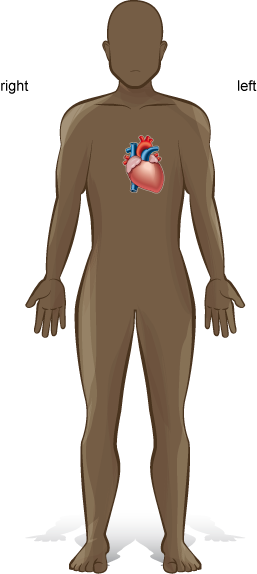
Figure 1. Standard anatomical position with the location of the heart shown.
Make a clenched fist with your hand this is approximately the same size as your heart.
The function of the heart is to pump blood to all the cells of the body. This is important for life as the blood contains oxygen and nutrients, such as glucose, which are needed by cells for cellular respiration. The blood also removes the waste gas carbon dioxide and other waste products.
The Human heart application
This lesson uses the Human heart application to allow you to explore the anatomy (structure) and physiology (function) of a human heart. If the application has already been installed on your machine, click on the Human heart icon which should be located on your desktop (Figure 2).
Figure 2. Human heart application icon
If the application has yet to be installed on your machine, instructions on how to install it are provided at the end of this lesson.
To launch the application, click on the icon. The application runs as a full screen programme and to return to this lesson you will have to exit the application and then relaunch it when you need to return to it (alternatively, you can read the lesson fully, noting down the activities in your laboratory notebook and then launch the application to complete the activities).
The opening screen offers you two modes ‘Standard’ and ‘Accessibility’, if you can use a mouse select the ‘Standard’ mode (the ‘Accessibility’ mode uses keystrokes to control the application).
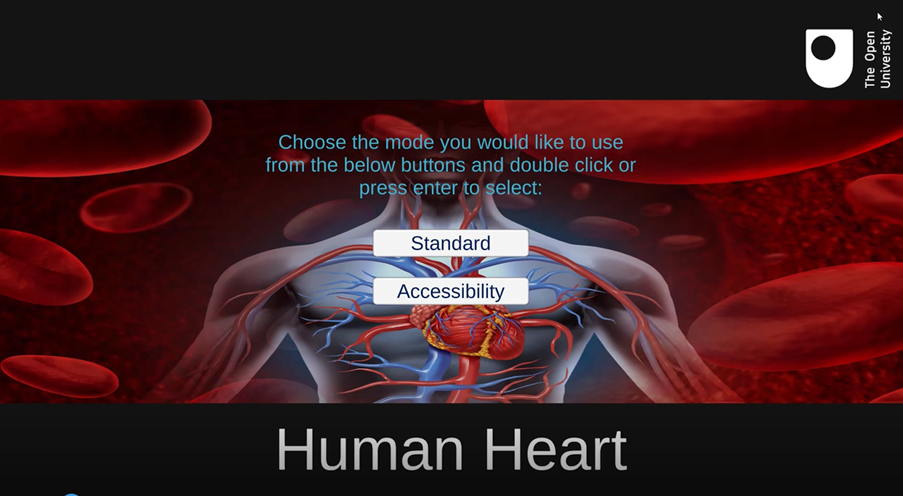
Figure 3. The opening screen of the Human heart application.
Once you have selected your user mode, the application opens to the main screen which has both the heart and a menu of options (Figure 4).
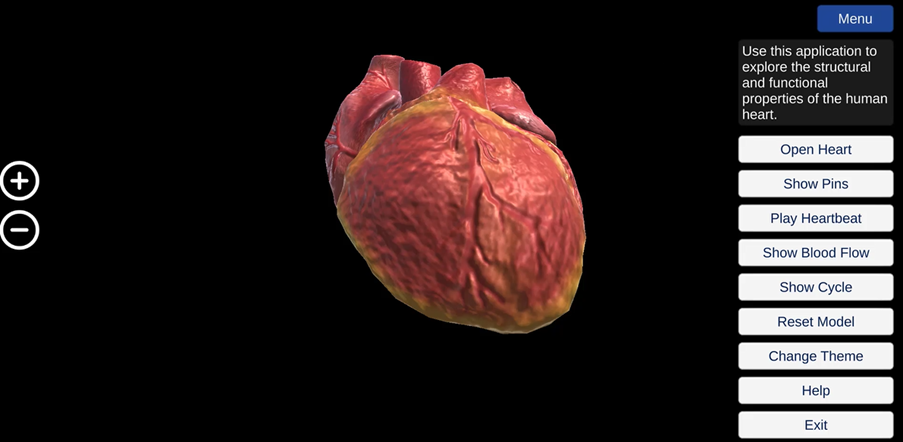
Figure 4. The main screen of the Human heart application.
Spend a few minutes exploring the options. You can rotate the heart by holding down the left-click button of your mouse and moving the cursor. You can zoom in and out by clicking on the plus and minus icons on the right-hand side of the screen or by using the plus and minus keys on your keyboard.
The structure of the heart
Atria, Ventricles and Septum
First, we are going to explore the inside structure of the heart. Click on the ‘Open Heart’ button to see inside the heart. Click on the ‘Show pins’ button. Pins should appear, as in Figure 5. There are 18 pins in total – you will need to click and hold on the heart to rotate it and reveal all the pins.
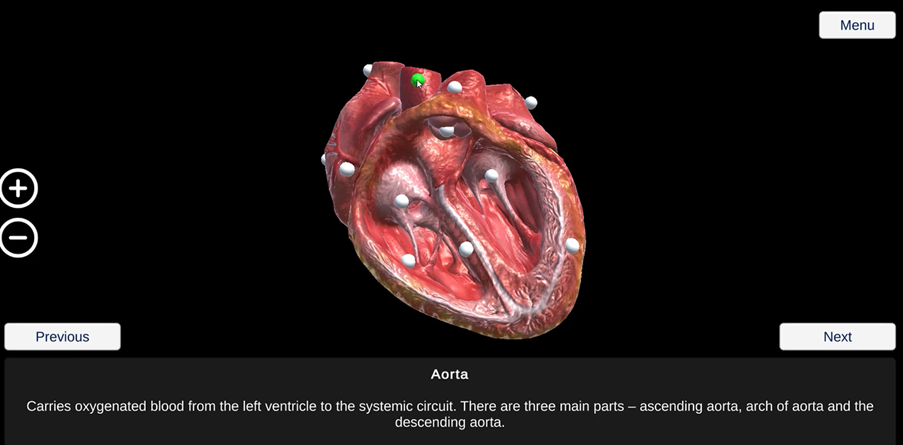
Figure 5. The opened heart and pins – the pin for the aorta has been selected is now green.
When you click on a pin, it changes colour from white to green and a description of the selected pin appears at the bottom of the screen. You can also use the ‘next’ and ‘previous’ buttons to move around the pin in a zoom in mode.
See if you can locate the intraventricular septum. This is a thick wall down the vertical axis of the heart. It divides the heart into two sides – the right-hand side and the left-hand side. The heart is made up of four chambers – two smaller, upper chambers called atria (singular: atrium) and two larger, lower chambers called ventricles. See if you can locate the right atrium, right ventricle, left atrium and left ventricle. The atria and ventricles are surrounded by muscular walls.
|
Which chambers of the heart have thicker muscular walls – the atria or ventricles? |
|
Which ventricle has a thicker wall? |
Make a note of these observations in your laboratory notebook- we will re-visit the importance of these observations later in the lesson, when we consider the function of the heart.
Blood vessels
Rotate the heart to see the blood vessels – arteries (singular: artery) and veins – at the top of the heart, as shown in Figure 6. Arteries take blood away from the heart, while veins return blood back to the heart.
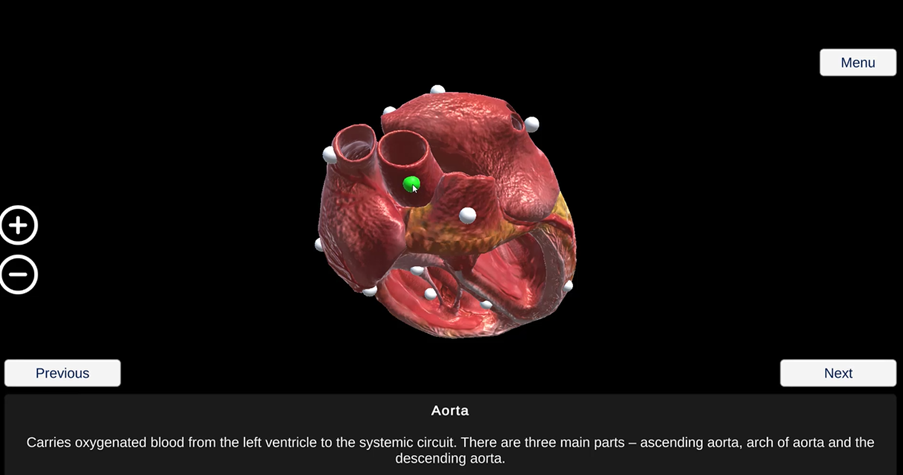
Figure 6. The blood vessels at the top of the heart. The aorta is indicated by the green pin.
See if you can locate the pulmonary artery, which takes blood from the right ventricle of the heart to the lungs. The aorta is the largest artery in the body and takes blood from the left ventricle of the heart to all organs of the body (except the lungs). You will see that the aorta branches into three main parts – ascending aorta, arch of aorta and the descending aorta.
The pulmonary veins carry blood from the lungs to the left atrium of the heart. The right pulmonary vein and the left pulmonary vein carry blood from the right and left lungs respectively. The vena cavae are the largest veins in the body and carry blood from the body to the right atrium of the heart. The superior vena cava carries blood from the upper half of the body, while the inferior vena cava carries blood from the lower half of the body. Remember, you will need to rotate the heart to locate some of these structures.
Heart valves
You can also see the atrio-ventricular valves located between the atria and ventricles. The atrio-ventricular valve between the right atrium and right ventricle is called the tricuspid valve as it has three flaps. The atrio-ventricular valve between the left atrium and left ventricle is called the bicuspid valve as it has two flaps (it is also known as the mitral valve). You can also see the papillary muscles and chordae tendineae, which connect the atrio-ventricular valves to the ventricular walls. The papillary muscles secure the chordae tendineae, connective tissue underneath the valves to maintain the valves in a closed position.
The semilunar valves have three flaps and are named because of their half-moon shape. See if you can locate the pulmonary semilunar valve at the base of the pulmonary artery and the aortic semilunar valve at the base of the aorta.
Outside surface of the heart
Next, we are going to look at the outside surface of the heart. Click on the ‘Menu’ button. Click on the ‘Close Heart’ button. Click on the heart to rotate it.
|
What structural features can you see on the outside surface of the heart? |
You may have noticed the blood vessels on the outside surface of the heart. These coronary blood vessels form the heart’s own blood circulation. Click on ‘Show pins’ button and find the ‘Coronary blood vessels’ pin.
This circulation is important. Just like the other organs of the body, the heart needs to receive blood containing oxygen and nutrients – via the coronary arteries. Similarly, blood containing carbon dioxide and other waste products needs to be removed from the heart – via the coronary veins.
We have now found all 18 structure pins – in the next part of the lesson, we are going to discuss the functions of these structures.
|
Activity |
|
You can then re-visit the application to add any labels you may have missed. |
The function of the heart
The heartbeat in action
The heart can be thought of as a powerful muscle, which continuously contracts then relaxes then contracts again throughout a person’s lifetime.
We are now going to see the heart in action. Click on the ‘Hide pins’ button. Click on the ‘Play Heartbeat’ button. Click on the ‘Show Heartbeat Control’ button. At the bottom of the screen, you will find a controller for increasing or decreasing the heart rate – the default setting for the application is 72 beats per minute (bpm) (Figure 7).
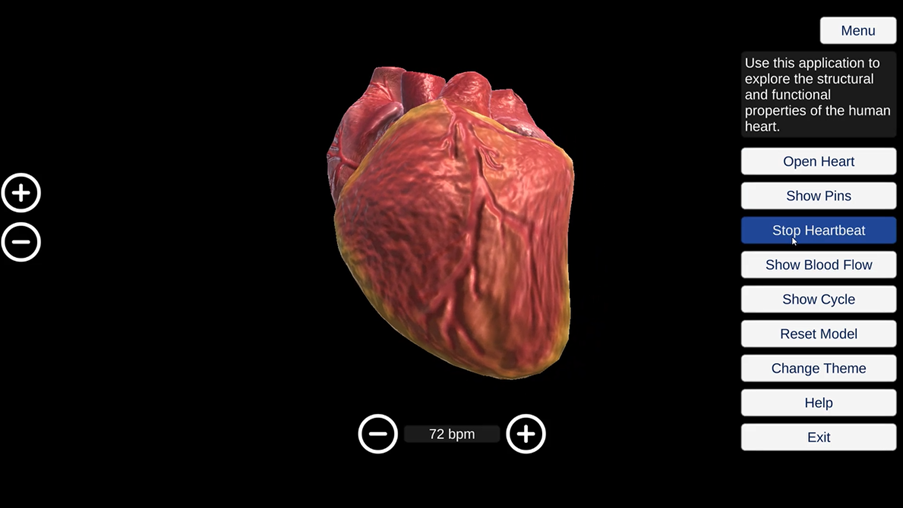
Figure 7. The beating human heart.
Let’s do a calculation to see how hard your heart works. You may wish to use the calculator function on your phone or computer device.
|
What would be the heart rate of the heart shown in Figure 7 in beats per hour? |
|
What would be the heart rate of this heart in beats per day? |
|
What would be the heart rate of this heart in beats per year? |
According to figures in 2016 from The World Health Organisation, the average life expectancy for a person in Ghana is 64 years old.
|
How many times would a heart beat during the lifetime of a 64-year-old individual? |
Of course, this is an underestimate – a person will not have a steady heart rate of 72 bpm throughout their life – their heart rate will change rapidly depending on their environment and activity. For example, a person’s heart rate will be lower during sleep as the heart does not need to pump as much blood to the organs of the body.
Previous: Lesson objectives Next: Practical activity