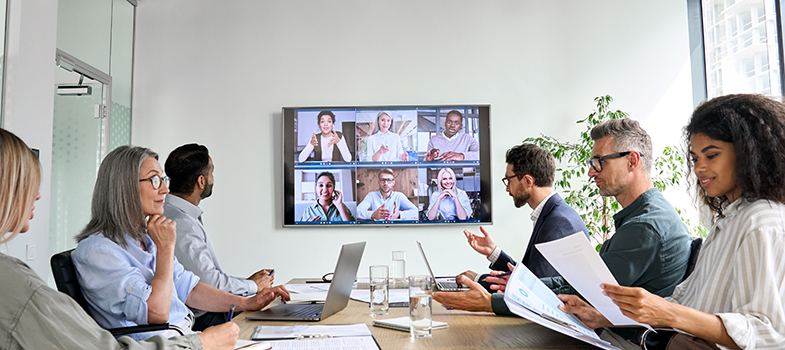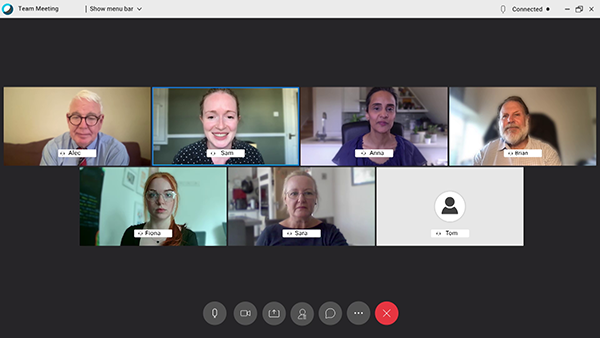
Show description|Hide descriptionA composite image of multiple video conference screens arranged side by side. Each section features a central participant surrounded by numerous smaller participant windows, creating a collage effect that represents large-scale virtual meetings.
Now you’ve covered the fundamentals of effective chairing, in this section you will review what you have learned and add further inclusive chairing skills to your practice.
Ensuring inclusive online meetings
Some of the key aspects of chairing an inclusive online meeting are summarised below. Click on the cards below to reveal some ideas – do you have any other ideas?
Active content not displayed. This content requires JavaScript to be enabled.
Show description|Hide descriptionThe first ‘Ensuring inclusivity’ interactive contains three cards, each representing a different aspect of chairing an inclusive online meeting. Selecting or clicking each card reveals additional text explaining that theme.
First card: Access requirements
Revealed text: Know your participants in advance and find out any access requirements (e.g. live captioning/BSL interpreters/accessibility tools).
Second card: Assistive technology
Revealed text: Let people know what assistive technology is available.
Third card: Agenda
Revealed text: Distribute the agenda and essential documents well before the meeting so people can prepare.
Use your mouse, keyboard, or touch screen to reveal the text on the reverse of the card.
Interactive feature not available in single page view (
see it in standard view).
Active content not displayed. This content requires JavaScript to be enabled.
Show description|Hide descriptionThree cards are displayed (‘Ensuring inclusivity’ – second set) each representing a different aspect of chairing an inclusive online meeting. Selecting or clicking each card reveals additional text explaining that theme.
First card: Introductions
Revealed text: Start by welcoming and introducing everyone (if they are not known to one another).
Second card: Unfamiliar names
Revealed text: Check you know how to pronounce everyone’s name.
Third card: Pronouns
Revealed text: Check and use correct pronouns – you might like to open the meeting by identifying the pronouns you use.
Use your mouse, keyboard, or touch screen to reveal the text on the reverse of the card.
Interactive feature not available in single page view (
see it in standard view).
Active content not displayed. This content requires JavaScript to be enabled.
Show description|Hide descriptionThree cards are displayed (‘Ensuring inclusivity’ – third set), each representing a different aspect of chairing an inclusive online meeting. Selecting or clicking each card reveals additional text explaining that theme.
First card: Communication expectations
Revealed text: At the beginning of the meeting, set out the expectations about how people will communicate with one another, i.e. in ways that promote equitable and inclusive engagement.
Second card: Camera use
Revealed text: Encourage camera use but be attentive to personal preferences/needs and keep this optional.
Third card: Encouraging participation
Revealed text: Encourage active participation from attendees (in whatever way is comfortable for them). Go through processes for getting involved, e.g. chat boxes/raised hands etc.
Use your mouse, keyboard, or touch screen to reveal the text on the reverse of the card.
Interactive feature not available in single page view (
see it in standard view).
Active content not displayed. This content requires JavaScript to be enabled.
Show description|Hide descriptionThree cards are displayed (‘Ensuring inclusivity’ – fourth set), each representing a different aspect of chairing an inclusive online meeting. Selecting or clicking each card reveals additional text explaining that theme.
First card: Chat boxes
Revealed text: Set some norms about chat use, e.g. keep comments brief; use chat to ask questions and share resources.
Second card: People who haven’t spoken
Revealed text: When moving to a new agenda item, invite those who haven’t spoken to speak first. There is evidence that calling women to speak first encourages greater participation from other women.
Third card: Dominant speakers
Revealed text: Manage interactions, including interruptions and dominant speakers (e.g. don’t let people dominate, don’t let people interrupt others).
Use your mouse, keyboard, or touch screen to reveal the text on the reverse of the card.
Interactive feature not available in single page view (
see it in standard view).
Active content not displayed. This content requires JavaScript to be enabled.
Show description|Hide descriptionOne card is displayed (‘Ensuring inclusivity’ – fifth set), representing an aspect of chairing an inclusive online meeting. Selecting or clicking on the card reveals additional text explaining that theme.
Card: Discriminatory language
Revealed text: Use inclusive language and challenge any discriminatory or biased language you hear.
Use your mouse, keyboard, or touch screen to reveal the text on the reverse of the card.
Interactive feature not available in single page view (
see it in standard view).
This is not an exhaustive list of considerations, but hopefully it highlights how many things a chair has to keep in mind before, during and after a meeting.
Now you have thought about inclusivity in online meetings, the next activity looks at all the various factors involved in effective chairing practice and how to chair a productive and inclusive online meeting.
 Activity 6 Leading the way
Timing: Allow around 20 minutes
Watch Video 2 through once without interruption, then a second time while you make notes.
Transcript: Video 2 Leading the way
End transcript: Video 2 Leading the wayVideo 2 Leading the way
Interactive feature not available in single page view (
see it in standard view).
The second time you watch it note down all the examples of effective chairing practice you notice in the box below:
To use this interactive functionality a free OU account is required.
Sign in or register.
Interactive feature not available in single page view (
see it in standard view).
Answer
Some noticeable effective chairing actions are listed below. Do you agree with them and would you add any others?
The chair:
- Tests the meeting software and their devices ahead of the meeting.
- Makes sure that their video setting is up and especially that there is a bright light. This ensures that every participant can see them properly on the screen in case lip-reading is needed.
- Has sent around a structured agenda ahead of the meeting.
- Is dressed professionally.
- Opens the meeting with some short small talk, giving everyone the chance to arrive.
- Asks people to put their camera on, if possible.
- Shows empathy.
- Sets boundaries/rules around the meeting.
- Politely interrupts Alec when he starts talking too much.
- Makes sure the debate is going into the right direction.
- Keeps to time and covers all important points of the meeting.
- Calms the debate down when necessary.
- Starts to wrap up the meeting 10 minutes before the announced end.
- Sums everything up at the end.