
Your OpenLearn profile is changing

Updated Thursday, 26 February 2026

From Wednesday 18 March, your OpenLearn profile is changing.

What’s happening?

From Wednesday 18 March, your learner profile on OpenLearn will no longer have a biography section that you can fill in with information about yourself. This feature is being removed to improve the security of OpenLearn for all our learners. 

Currently the profile landing page looks like this: 
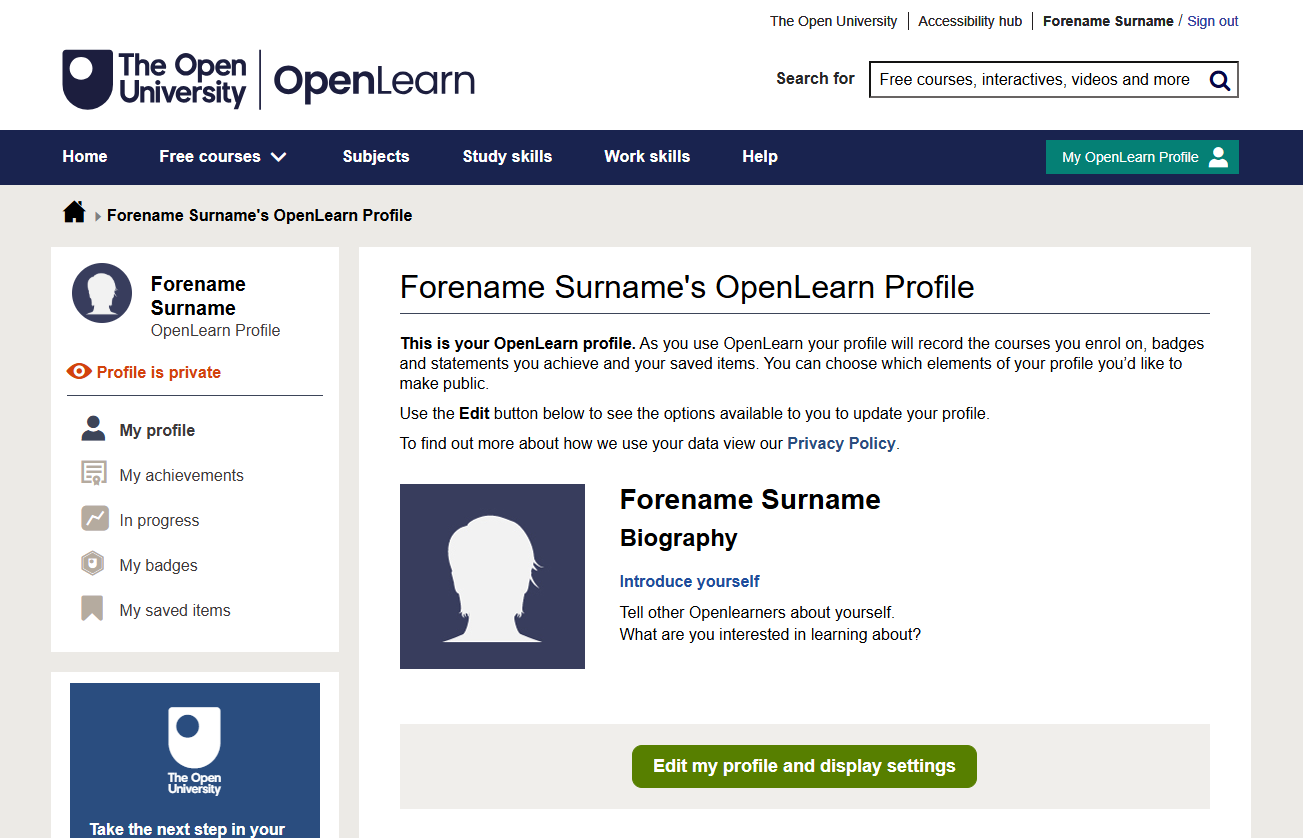
Screenshot of the current OpenLearn profile page. The page shows a placeholder silhouette image for the user, labelled “Forename Surname.” The left sidebar includes menu options such as My profile, My achievements, In progress, My badges, and My saved items. The main section displays the heading “Forename Surname’s OpenLearn Profile,” a note that the profile is private, and a short biography section with prompts to introduce yourself. A green button at the bottom reads “Edit my profile and display settings.” 

Instead of the biography, it will be easier to access other parts of your profile such as your courses in progress, saved items and achievements.
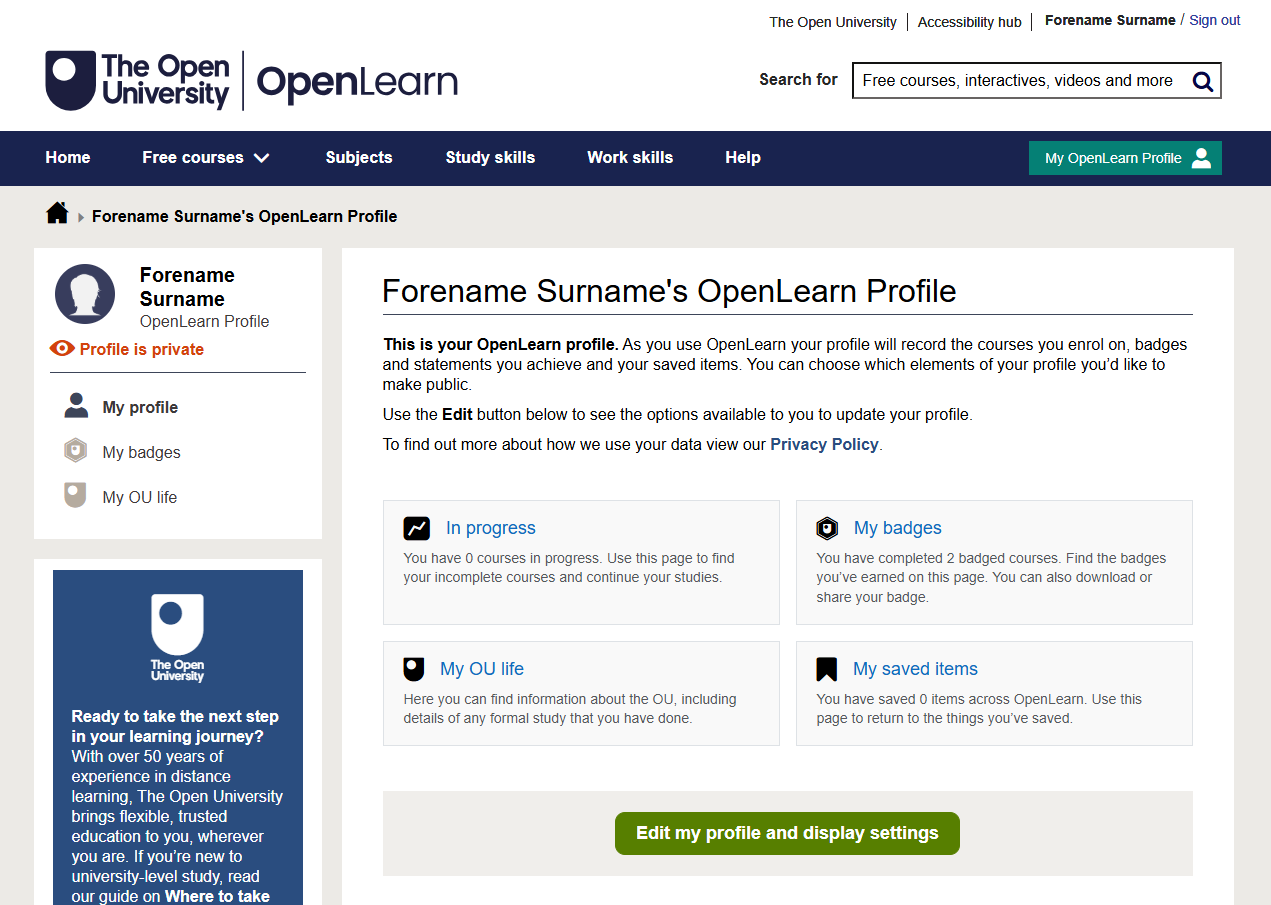
Screenshot of the new OpenLearn profile page. The page shows the user’s profile header labelled “Forename Surname’s OpenLearn Profile.” The left sidebar contains options including My profile, My badges, and My OU life, with an indicator showing the profile is private. The main section describes what the OpenLearn profile includes and displays four summary boxes: “In progress” showing 0 courses, “My badges” showing 2 badges earned, “My OU life” with general OU information, and “My saved items” showing 10 saved items. At the bottom is a green button labelled “Edit my profile and display settings.”

Removing the biography also makes the landing page of your profile page easier to navigate and increases access to sections such as your courses in progress, saved items and achievements. You will now not only be able to see and access them more easily, but it will also display how many items you have in each of those areas.
 
All other parts of your profile are unaffected.  

If you are an author, your author biography will remain unchanged.

What do I need to do?

If you have a learner biography in your OpenLearn profile and would like to save that text for yourself, please copy and paste it from your biography before Wednesday 18 March. Other than that, there is nothing you need to do! 


Become an OU student

Ratings & Comments

Share this free course

Copyright information

Skip Rate and Review

Rate and Review

For further information, take a look at our frequently asked questions which may give you the support you need.

Have a question?