
Moving your content around (and moving around your content)
You can reorder the activities or resources on your course homepage and add links to navigate between them
Reordering activities or resources
You may decide that you need to reorganise the order of some of your activities or resources.
In the editing view of your course’s homepage your activities and resources have an icon of three vertical dots next to them.
Click on this icon to reveal a drop-down menu with the choices Edit settings, Move, Availability, Duplicate, Assign roles and Delete.
Click on Move. Your course homepage now features a series of boxes with dotted lines that show you which places you can move your activity or resource to.
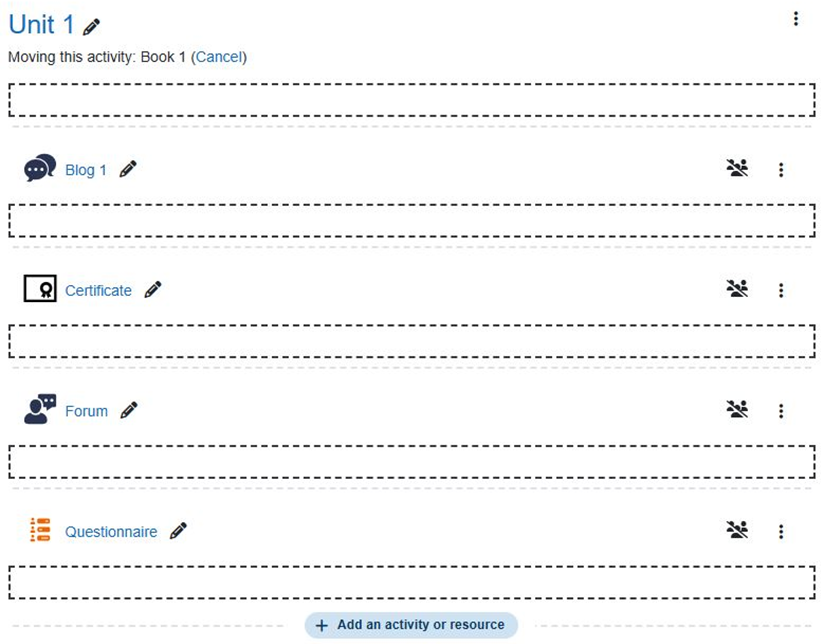
Click on the position you would like to move your activity or resource to. It will then be displayed in your chosen location.