Ce guide étape par étape est également disponible en Français.
Esta guía está disponible en Español.
Este guia está disponível em Português.
هذا الدليل متاح باللغة العربية.
Step 1: Navigating to the registration page |
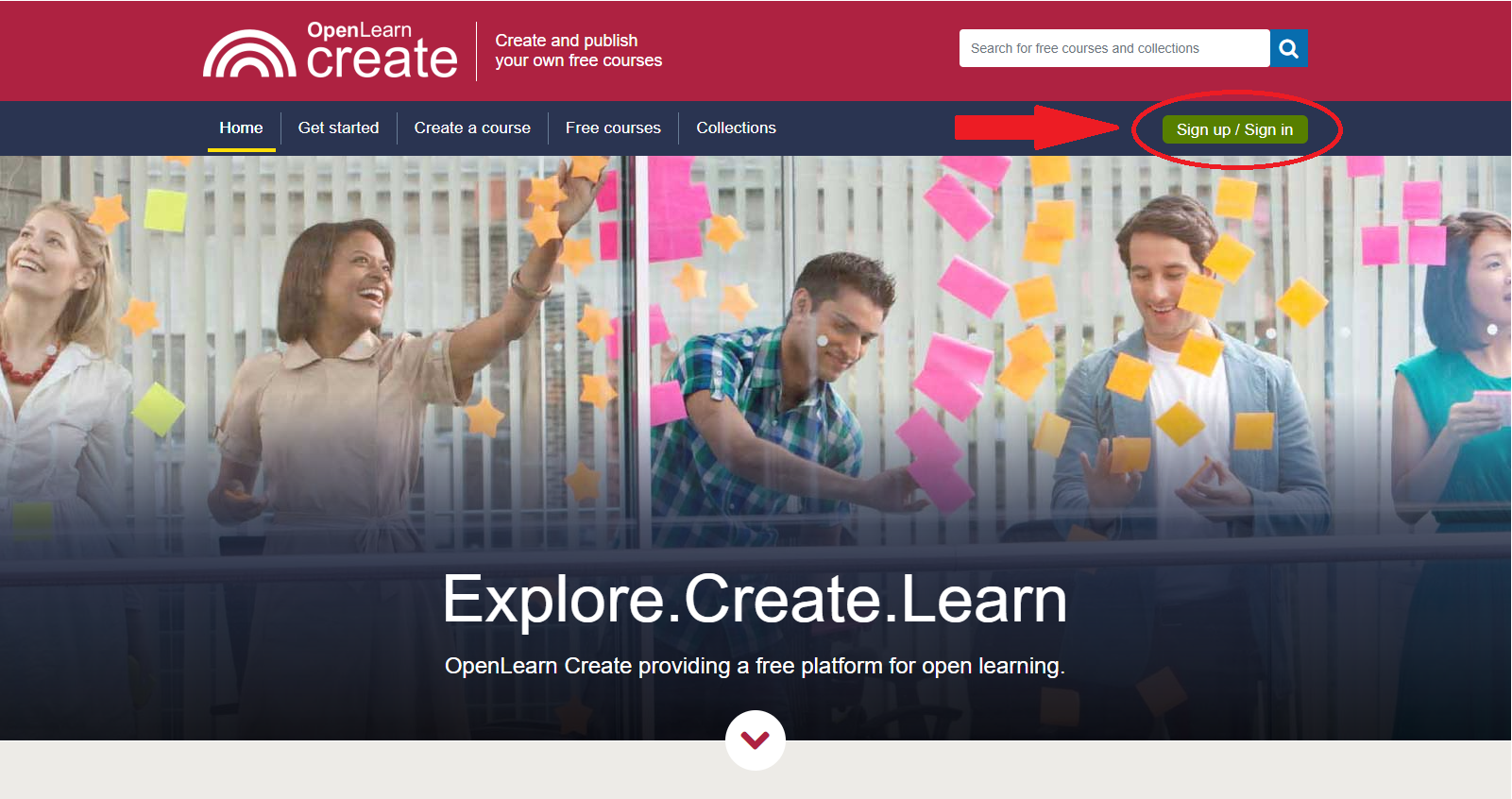
In the top right-hand corner of the screen is a green button ‘Sign up / Sign in’.
Select that button.
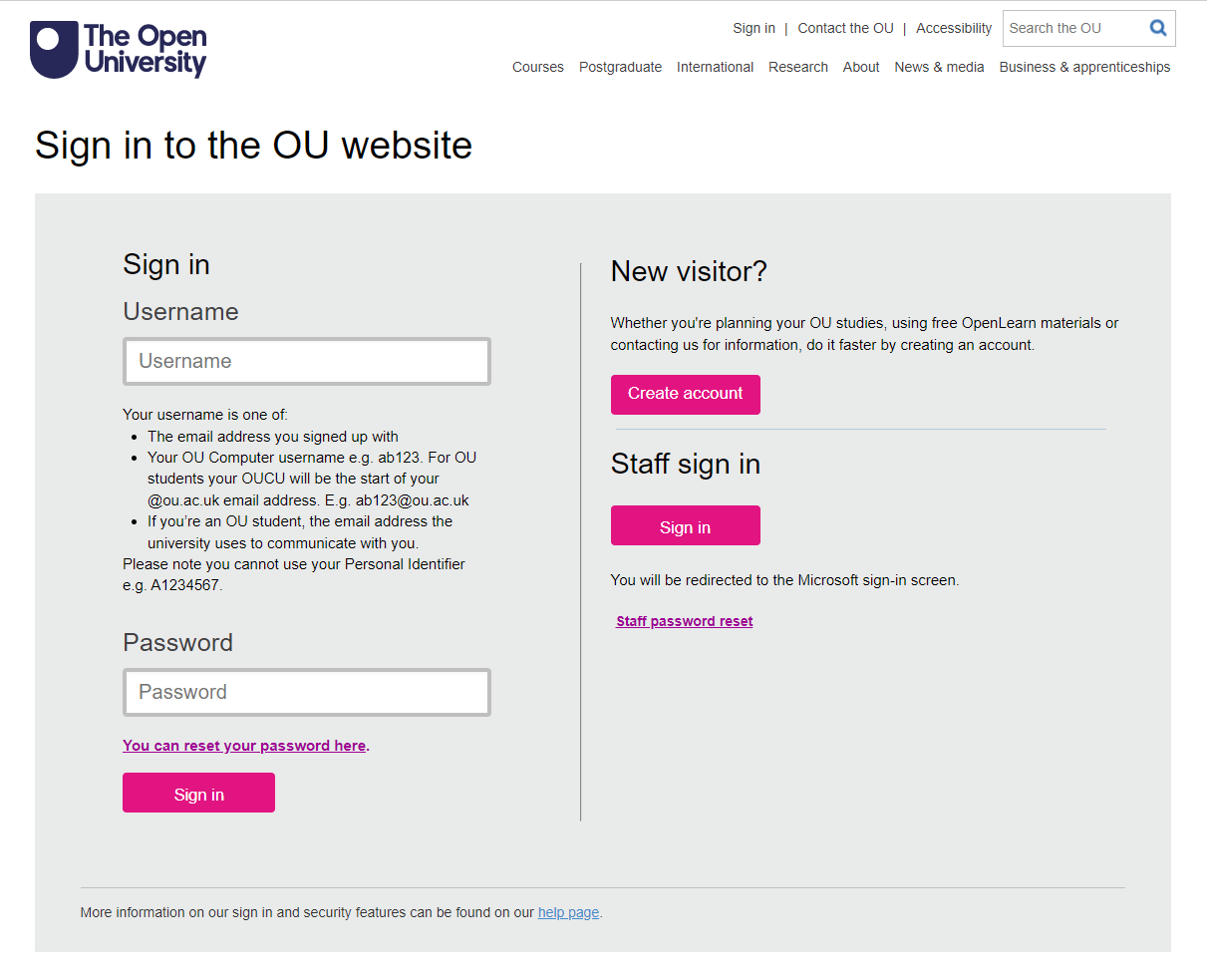
You will go to the 'Sign in to the OU website' page.
Step 2: Create an account |
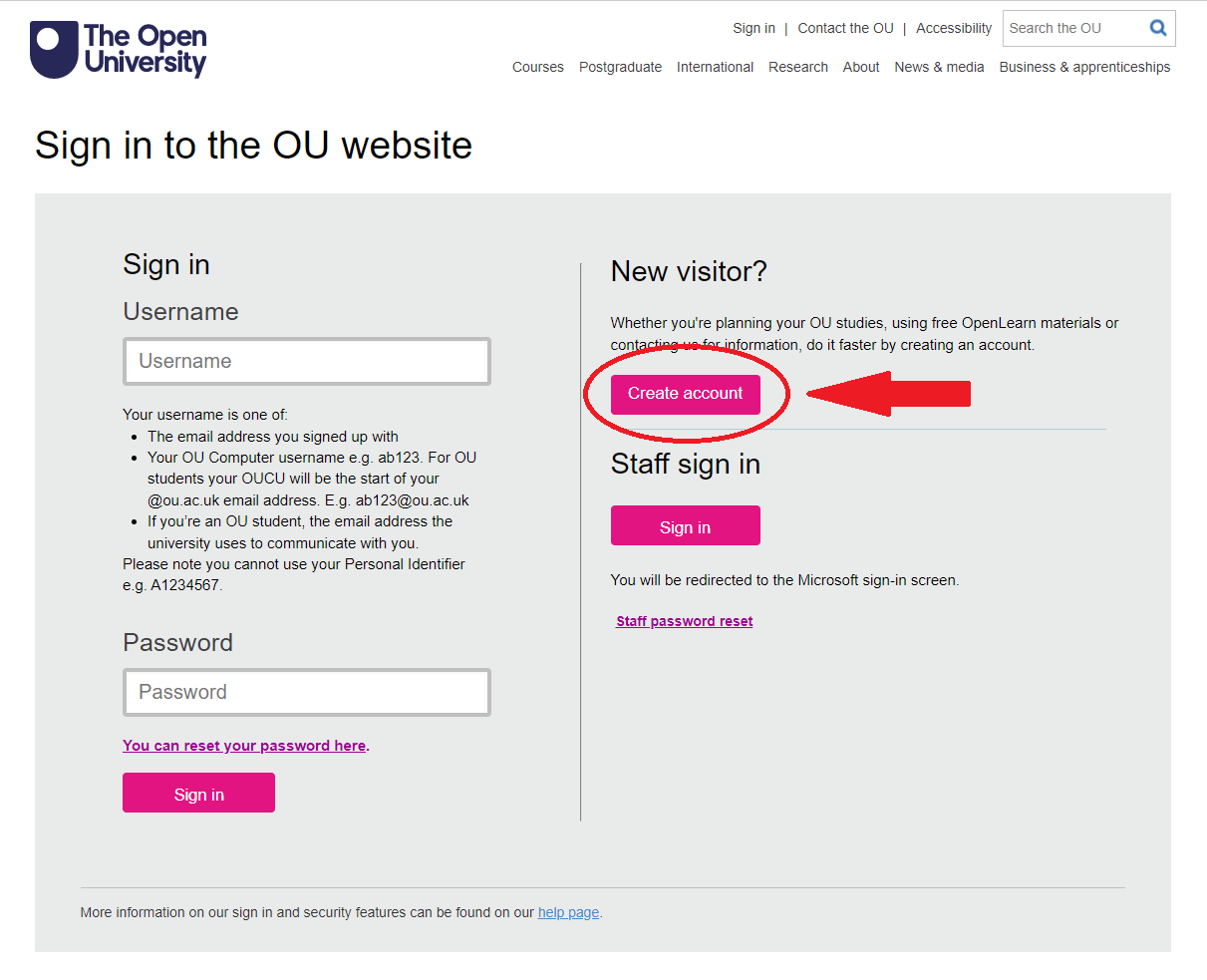
On the right-hand side is a button ‘Create account’.
Select that button.
You will go to a ‘Where do you live?’ box.
Complete this by selecting your location from the drop-down list of countries.
Then select the ‘Save location’ button.
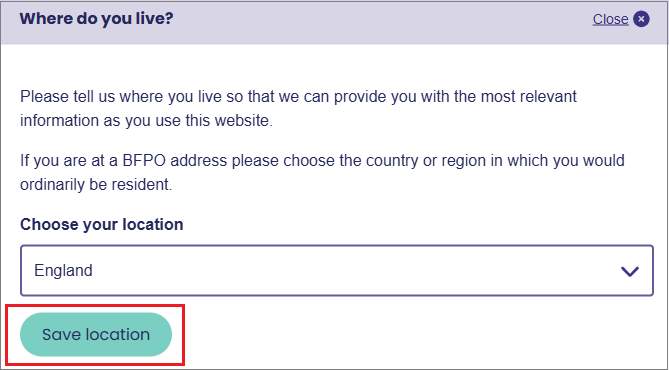
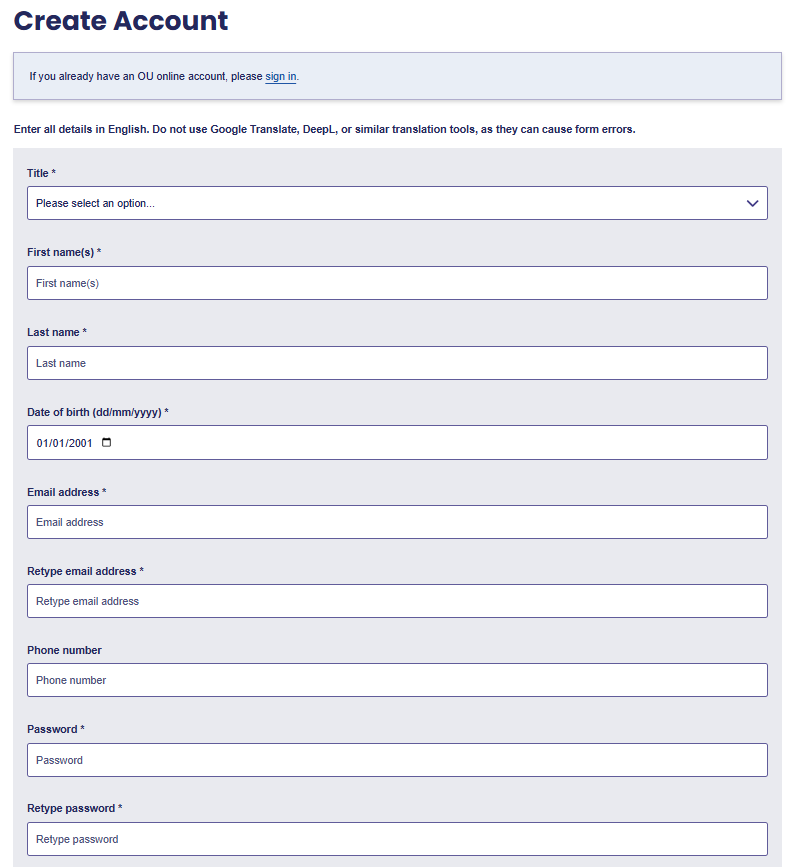
You will go to the 'Create account' page which features the registration form.
Step 3: Completing the form |
- Complete each of the boxes in turn to provide the information required.
- Fields marked with an asterisk (*) are mandatory. Therefore, the only box you will not be required to complete is the ‘Phone number’ box.
- You will need to complete the following:
- Title
- First name(s)
- Last name
- Date of birth
- Email address
- Password
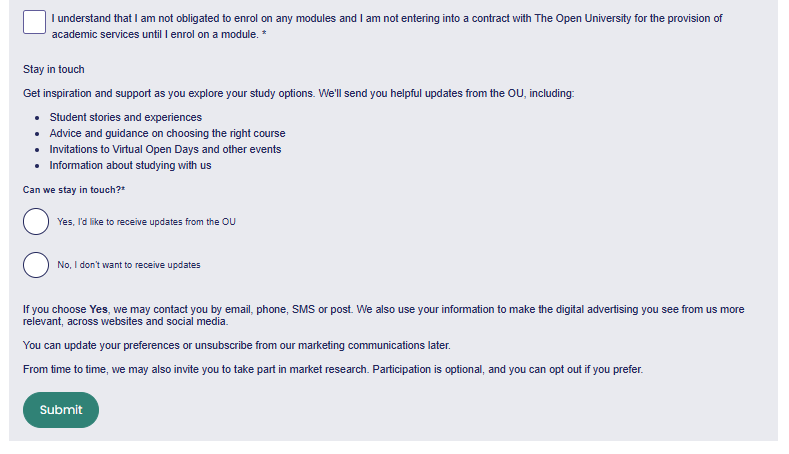
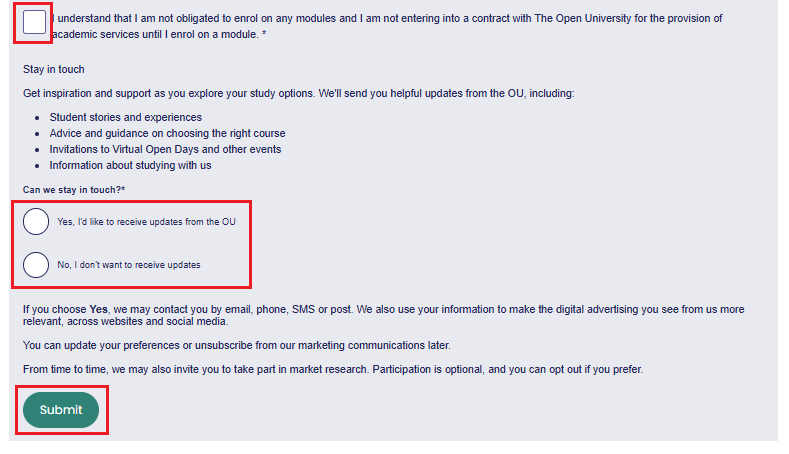
- Once you have completed all the necessary information, select the square check-box to say ‘I understand that I am not obligated to enrol on any modules and I am not entering into a contract with The Open University for the provision of academic services until I enrol on a module’.
- Select either ‘Yes’ or ‘No’ to advise if you would like to stay in touch with the OU to receive helpful updates and have the opportunity to take part in market research by The Open University.
- Select the ‘Submit’ button at the bottom of the form.
Step 4: Returning to OpenLearn Create |
Once you have submitted your details, you will see a message saying 'Thank you for creating an Open University account'.
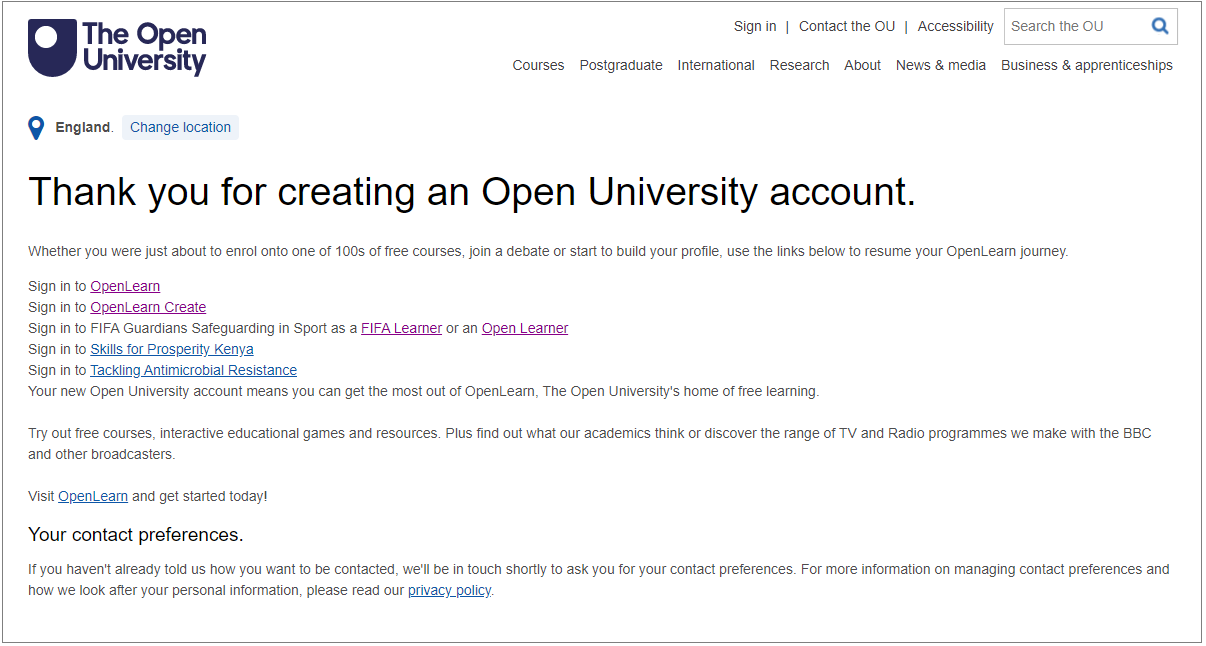
From the list of sign-in options, select the ‘Sign in to OpenLearn Create’ link.
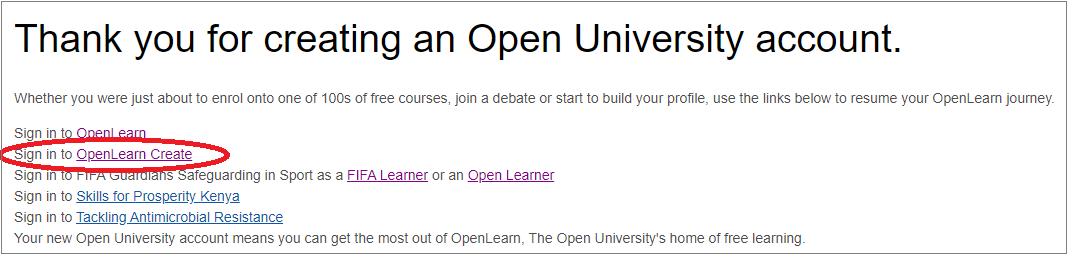
This link will direct you back to the OpenLearn Create homepage.
Step 5: Logging in |
Now sign in to your new account.
- First, select the 'Sign in / Sign up' button.
- You go back to the registration page you visited earlier. This time, use the boxes on the left-hand side. You will need to:
- Enter the email address you used to create your account
- Enter your password
- Select ‘Sign in’.
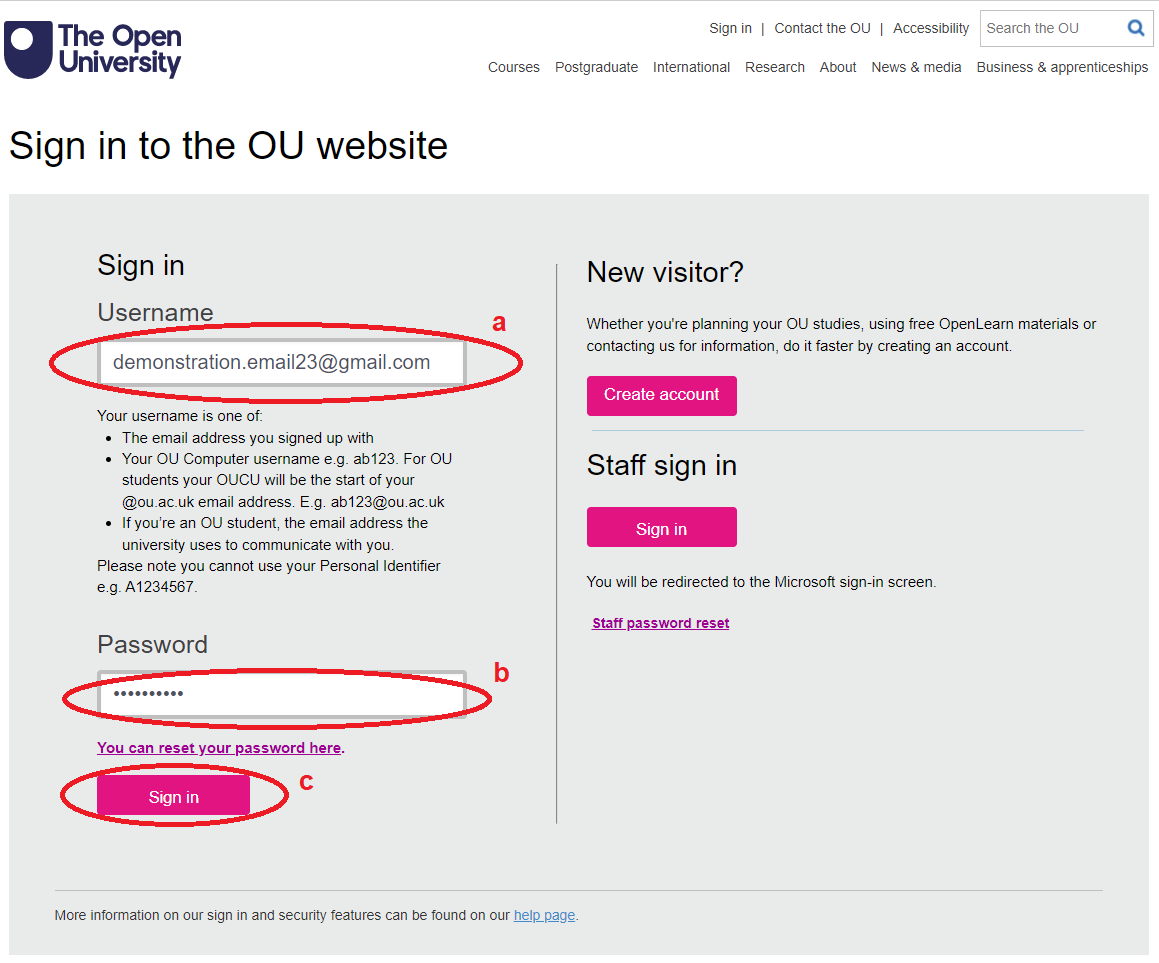
Once you have selected ‘Sign in’, you will go to the home page once more.
Your name is now in the very top right-hand corner, showing you’re logged in.
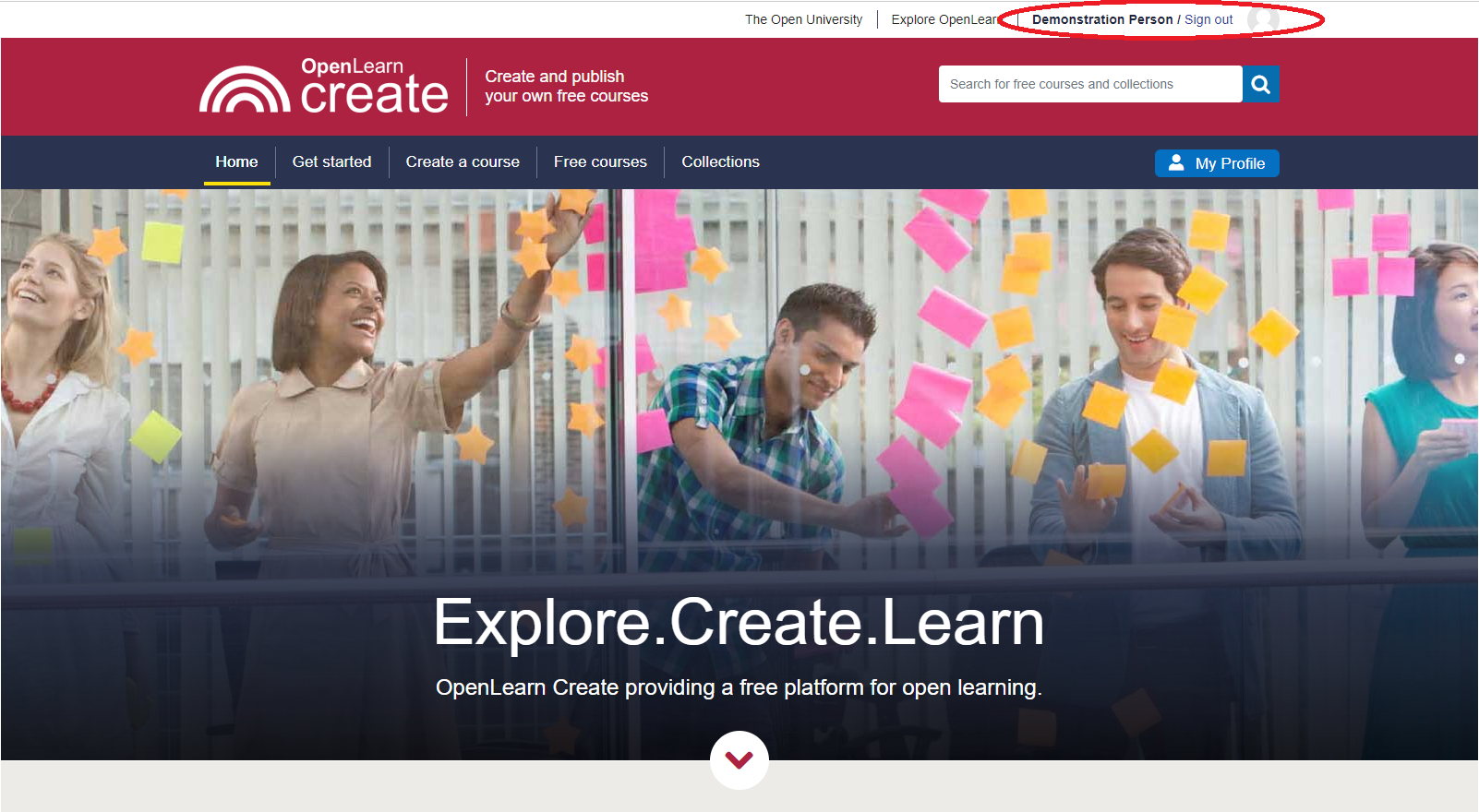
You can now start your learning journey on OpenLearn Create.
Step 6: Getting started with your course |
To obtain full access to the courses, track your progress and receive your Statement of Participation on completion, you need to enrol on each course.

You only have to enrol on each course once to gain full access.
We hope you enjoy your learning experience on OpenLearn Create.
If you have any issues registering or logging in, please contact the OpenLearn Create Mailbox.
If you have any other issues with the courses or your account, please see the Help and Support FAQs.