When you’ve done your audit and found issues that need fixing, there will be some things you can do yourself.
If you need to, you can change the wording of buttons and links to make them as clear and meaningful as possible.
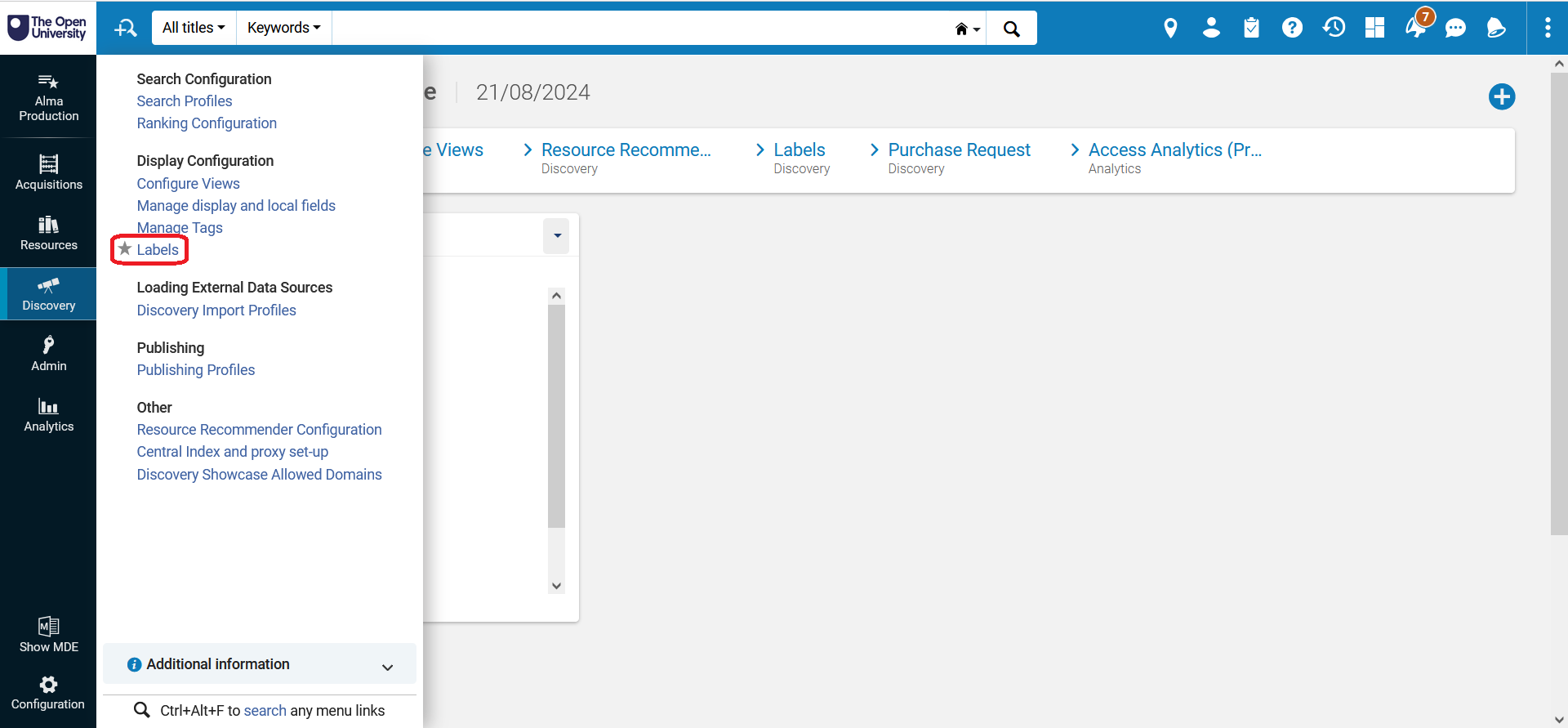
To do this, log in to Alma, the system that edits and controls Primo VE. Select the ‘Discovery’ option in the side menu. Then, under the ‘Display Configuration’ heading, select ‘Labels’.
A screenshot of Alma back office.This
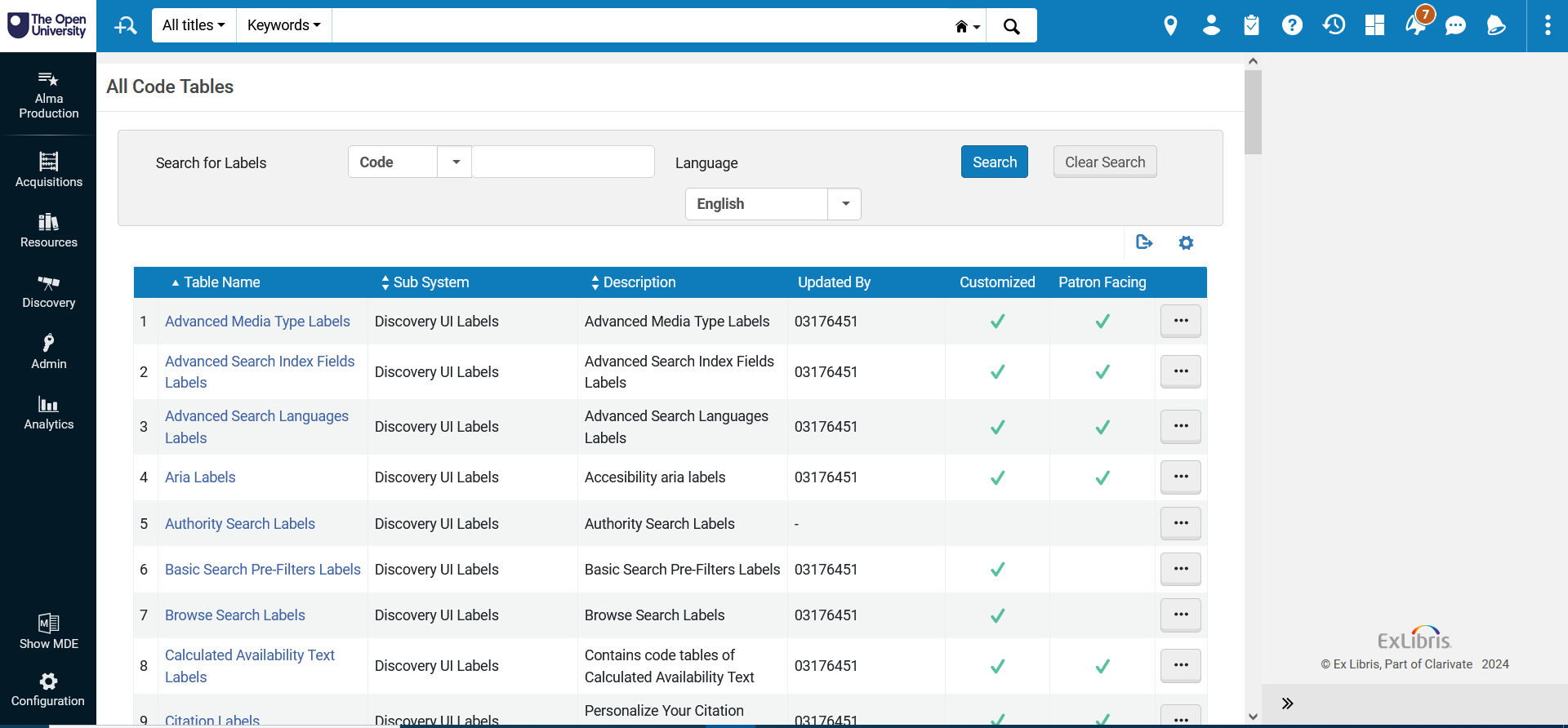
will load the code tables for every editable label in Primo VE. You can
scroll through the options or search for the specific label you want to
change.
A screenshot of Alma back office, by the Open University Library.Through Alma you also have access to Primo VE’s CSS. This is the code that controls the way things look. You can use this to fix:
Colour contrast issues
Hidden and/or missing icons
Some reflow/resizing issues
Please note: we do not recommend making CSS changes in Alma unless you are very confident doing so. CSS changes can affect the functionality of Primo VE on a fundamental level. If you are not confident with editing CSS, there is potential to cause more problems if it is not done correctly.
If you have specific questions about CSS, you can raise a ticket with Ex Libris and ask them to make CSS changes for you.
If you are confident making the changes to the CSS, we have created a download that explains the steps for doing this. Download Making CSS Changes in Alma
(618.8 KB)
step-by-step guide.

 )
step-by-step guide.
)
step-by-step guide.