The standard view of this forum does not always work well with
assistive technology. We also provide a simpler view, which still contains all features. Switch to simple view.
My OpenLearn Create Profile
- Personalise your OpenLearn profile
- Save Your favourite content
- Get recognition for your learning
Already Registered?
Page path
Course content
View course content
- ExpandAbout this course
- ExpandWeek 1
- Imagining Change
- Imagining Change
- ExpandUnderstanding the Challenge for Educators
- ExpandEducation in Conflict Settings
- ExpandCreating a supportive learning environment
- 1.5 What is a supportive learning environment?View
- Over to you: creating supportive learning environments (discussion)View
- 1.6 Imagining change with limited resourcesView
- Over to you: How do you make change with limited resources? (discussion)View
- 1.7 Learning from different contextsView
- Over to you: Comparing contexts (discussion)View
- 1.5 What is a supportive learning environment?
- ExpandA framework for understanding learning
- ExpandReflecting on the week
- ExpandWeek 2
- Education in context
- Education in context
- ExpandThinking more about education in conflict settings
- ExpandA theory to help us think about learners in context
- ExpandApplying the theories to our practice
- ExpandUnderstanding learner perspectives
- ExpandReflecting on the week
- ExpandWeek 3
- Social and emotional learning
- Social and emotional learning
- ExpandExploring social and emotional learning
- 3.1 Introduction to the weekView
- Over to you: Share your experiencesView
- 3.2 Understanding social and emotional learning (SEL)View
- Over to you: Supporting your learnersView
- 3.3 Supporting learners’ emotional wellbeing and developmentView
- Over to you (discussion)View
- 3.4 Counselling in educational settingsView
- Over to you (discussion)View
- 3.1 Introduction to the week
- ExpandFrom principles to action
- ExpandPeer review
- ExpandReflecting on the week
- ExpandAcknowledgements
- Robert Plutchik’s Wheel of Emotions (Wikipedia, pu...
- Robert Plutchik’s Wheel of Emotions (Wikipedia, pu...
About this course
- 12 hours study
- 1Level 1: Introductory
- Course description
Course rewards
Free Statement of Participation on completion of these courses.
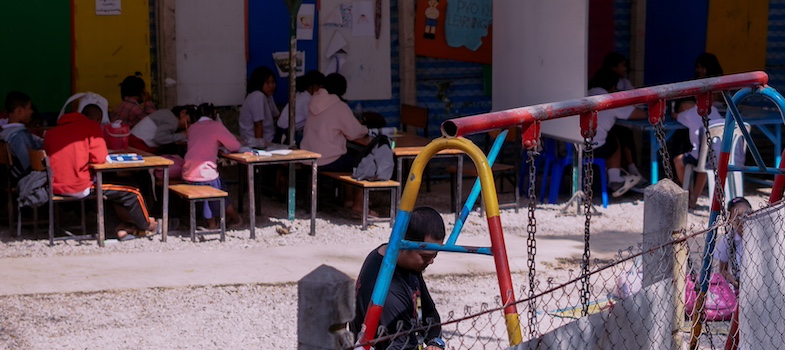
Understanding Education in Conflict and Crisis Settings
If you create an account, you can set up a personal learning profile on the site.
For further information, take a look at our frequently asked questions which may give you the support you need.
If you have any concerns about anything on this site please get in contact with us here.