
Learning Outcome 1: Access and Utilize the Application Systems
Information Sheet 2.1-1:
Securely Accessing Your Digital Workspace
The TESDA Training and Assessment Management System (T2MIS) serves as the centralized digital workspace for all competency assessment activities. For Assessors, Assessment Center Staff, and Lead Assessors, securely accessing T2MIS is the critical first step in managing the entire assessment lifecycle—from candidate registration to certification. This process ensures that sensitive candidate data and critical assessment results are handled with integrity, confidentiality, and efficiency, directly linking the physical assessment forms to their digital counterparts within a secure ecosystem.
Before you can work with data, you must learn how to access the T2MIS and other digital tools correctly and safely.
Understanding User Accounts: Every user is given an account to access a system. This account is tied to your role (e.g., data encoder, administrator), which determines your access permissions—what you are and are not allowed to do within the system. Your account must be secured as per procedure.
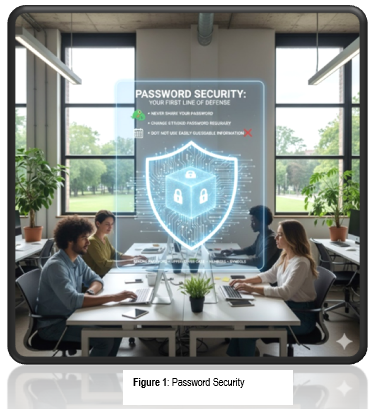
Password Security: Your First Line of Defense. A strong password is a mix of upper and lower-case letters, numbers, and symbols. Best practices include:
- Never share your password.
- Change your password regularly.
- Do not use easily guessable information like your birthday.
Application Systems
Application systems, often referred to as software applications or simply "apps," are programs designed to perform specific tasks or functions for users. They range from simple tools for data entry to complex systems for enterprise management
You will encounter several types of application systems:
- Web-based/Online: Accessed through a web browser (e.g., Google Sheets, online databases). These applications run on remote servers and are accessed via a web browser (e.g., Chrome, Firefox, or Safari) over the internet. Users don't need to install software on their devices; instead, they log in through a URL, and the application handles processing, storage, and rendering on the backend.
- Computer-based/Stand-alone: Installed directly on your computer (e.g., Microsoft Excel). These are traditional desktop software programs installed directly on a user's computer or workstation. They operate independently without needing constant internet access and store data locally on the device's hard drive.
- Mobile Applications: Used on smartphones and tablets.These are software designed specifically for mobile devices like smartphones and tablets, optimized for touch interfaces, sensors (e.g., GPS, camera), and on-the-go use. They are distributed via app stores (e.g., Google Play, Apple App Store) and can be native (built for a specific OS) or hybrid/cross-platform.
Legal and Compliance Requirements
Using software—whether web-based, stand-alone, or mobile—carries significant legal responsibilities in the Philippines, as it intersects with intellectual property laws, data protection regulations, and cyber laws. Failure to comply can result in civil liabilities (e.g., fines, damages), criminal penalties (e.g., imprisonment), or administrative sanctions. These requirements ensure ethical use, protect creators' rights, and safeguard digital ecosystems. Below are the two key areas mentioned: Intellectual Property Rights (focusing on software licensing) and the Cybercrime Prevention Act of 2012 (Republic Act No. 10175). This overview is based on Philippine laws, including the Intellectual Property Code (Republic Act No. 8293) and RA 10175.
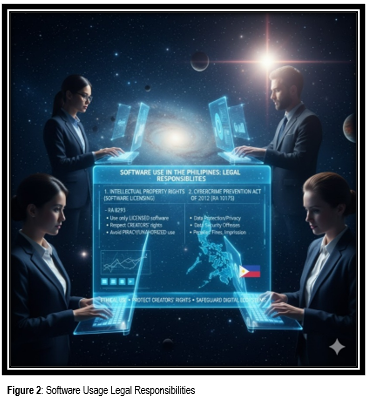
Intellectual Property Rights (IPR): Software is licensed, not sold. You must use it according to the terms of the license. IPR protects creations of the mind, such as software, which is treated as a literary or artistic work under copyright law. In the Philippines, software is not sold outright but licensed, meaning users gain permission to use it under specific terms rather than ownership. This is enshrined in the Intellectual Property Code of the Philippines (RA 8293), which covers copyrights, patents, trademarks, and related rights for software as a form of expression.
Cybercrime Prevention Act (R.A. 10175): This law governs online activities, and unauthorized access to computer systems is a crime. Enacted on September 12, 2012, RA 10175, also known as the Cybercrime Prevention Act, addresses crimes committed via information and communications technologies (ICT). It criminalizes a range of cyber offenses, with a strong focus on protecting computer systems' confidentiality, integrity, and availability. Unauthorized access to software or systems falls under this, making it a felony even without further damage.
TESDA Training Management Information System (T2MIS)
It is a Web-based System developed/designed to facilitate the organized collection, processing, analysis, and dissemination of Technical-Vocational Education and Training (TVET) data.
The system incorporates the use of the Unique Learner Identifier (ULI), a 14-digit alphanumeric code generated and permanently assigned to learners/candidates when their profile is encoded in the system for the first time. The ULI is used to track the learner's progress from training to assessment.
The system maintains a database of the agency’s training, assessment, and certification results. It is integrated with the TESDA website to provide
relevant public domain information. T2MIS can be accessed using various devices (e.g., personal computer, laptop, tablets, cellphone, etc.) that are connected to the internet
The system maintains a database of the agency's training, assessment, and certification results.
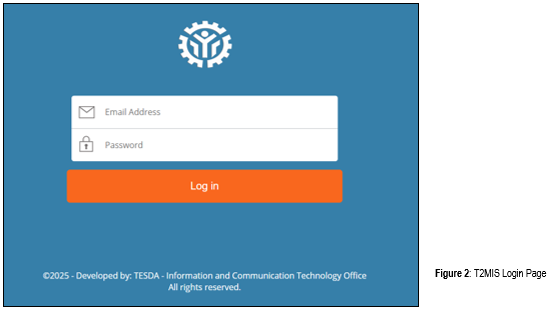
The system can be accessed by browsing the website address http://t2mis.tesda.gov.ph. Upon accessing the address, you will be prompted to enter a username and password (account credentials).
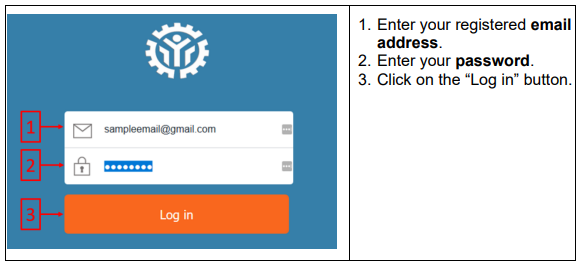
Understanding the T2MIS Digital Workspace
T2MIS is not just a database; it is an integrated platform that digitizes and streamlines the entire assessment process.
Key Functions within the T2MIS Workspace for Assessment Personnel:
- Candidate Management: Registering applicants and managing their profiles.
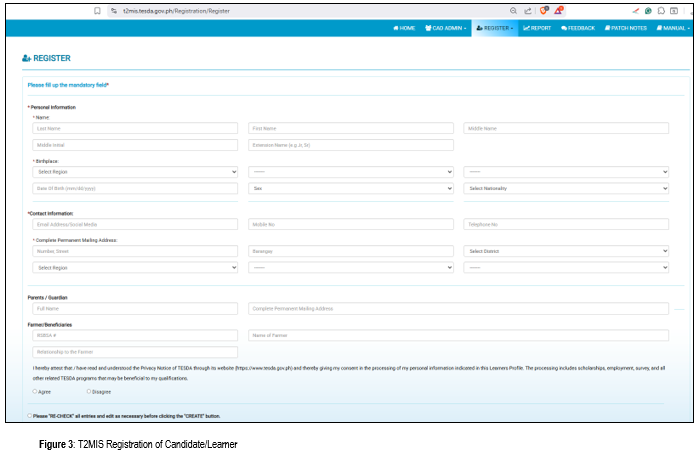
Assessment Scheduling: Setting dates, times, and assigning assessors for batches.
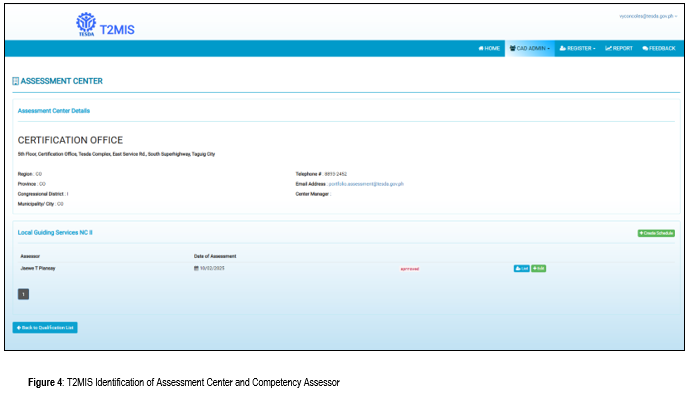
- Results Encoding: Inputting and submitting competency results.
- Document Tracking: Monitoring the status of assessments and certificate generation.
- Reporting: Generating official reports on assessment center performance and candidate statistics.
The Secure Access Protocol: A Multi-Layered Approach
Gaining access to T2MIS is a controlled process designed to prevent unauthorized access.
A. Prerequisites for Access:
- Active TESDA ID Number: A unique identifier issued by TESDA to accredited personnel.
- Official Appointment/Designation: The user's role (e.g.,CAC Focal, Administrator) must be officially recorded and synchronized with T2MIS.
- Registered and Verified Account: An account must be created and activated, often requiring verification from a system administrator.
B. The Login Process: Securing the Digital Gate
- Accessing the Portal:
- Navigate to the official T2MIS website via a trusted link.
- Authentication:
- Step 1: Username and Password: Enter your unique TESDA ID and a strong, confidential password. This is the first layer of defense.
- Step 2: Role-Based Access Control (RBAC): Upon login, the system grants permissions based on your designated role.