
Learning Outcome 2: Operate Application Systems
Information Sheet 2.2-1:
Using T2MIS Effectively
T2MIS is an integrated web-based platform that digitizes and streamlines the entire assessment workflow—from initial candidate registration to the issuance of national certificates.
Once you have access, you need to operate the application and related tools efficiently.
Checking Your Connection: Before accessing any web-based application, you must first check your network and internet connection. A stable connection is required for online systems to function properly. If you encounter issues, you may need to perform basic troubleshooting, such as checking cables or restarting your router, based on established procedures.
Search for the Name of the Candidate
For candidates with previously accomplished Unique Learners Identifier (ULI), you can search in the T2MIS the Learner’s ID or First Name or Family Name.
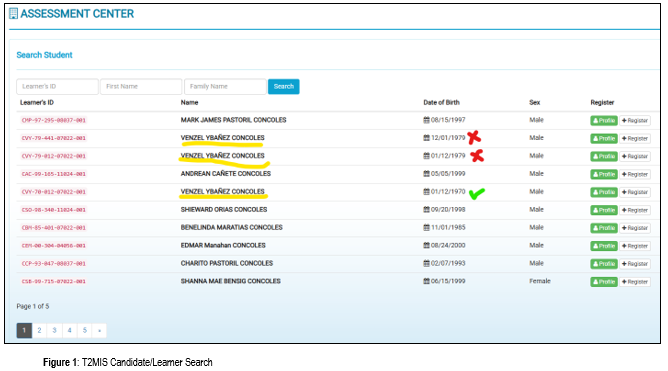
In the event of duplication, as shown in the picture above, the T2MIS corrects the date of birth format to Month/Date/Year. Choose or register the correct Candidates' information and data to avoid problems and deficiencies in assessment, certification, and reports.
Registration of New Candidate
If a candidate does not have a Unique Learner Identifier (ULI), the focal personnel can register the candidate in the T2MIS using the Registration Module of the system. After reviewing and verifying the candidate's Application Form, the Assessment Center processing officer can register the candidate and ensure that the candidate is informed of their registered ULI.
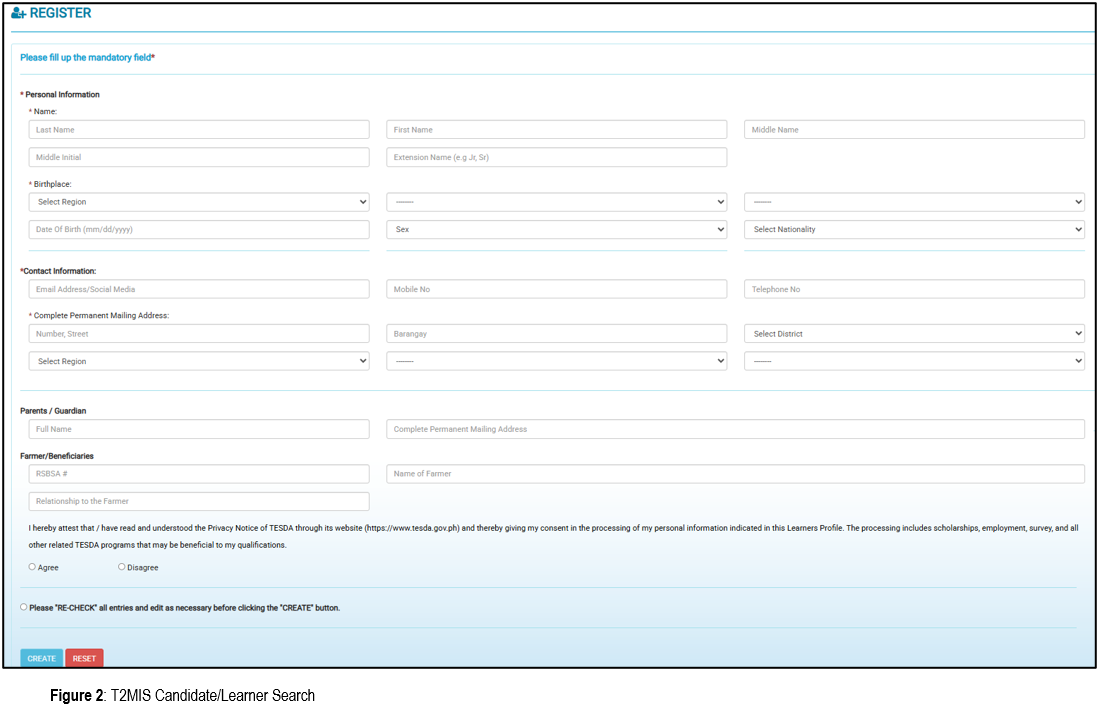
Enrolling the Candidates for Assessment
Enrolling or scheduling the candidates for Assessment, in accordance with the filled-out Application Form, identify and select the appropriate mandatory field of the candidate.
The information on each field is critical to TESDA in the review and analysis of data and information for candidates assessed and certified.
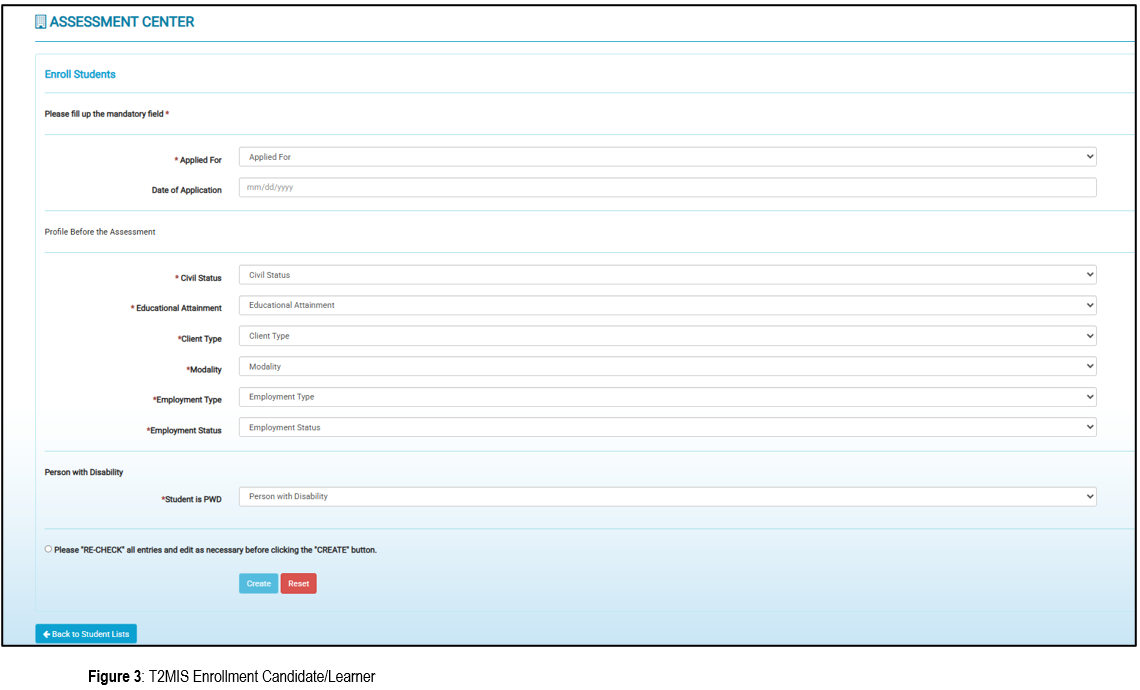
T2MIS, Cloud Computing and Collaboration: Modern data work heavily relies on
Cloud Computing. This means using applications and storing files over the internet instead of on your local computer. Tools like Google Apps are used to create, manage, and share online documents, which allows for real-time collaboration with team members.
Properly Terminating Applications: When you are finished with your work, it is crucial to terminate or close T2MIS applications properly, adhering to operating standards. This usually involves using the "Exit," "Close," or "Log Out" function. Simply closing the window may not save your work or securely end your session.
Operating the T2MIS application system effectively is a critical competency for TESDA assessment focal personnel. It requires a meticulous approach that bridges the physical world of assessment forms with the digital realm of data management.
By mastering the modules, following a disciplined workflow, and adhering to best practices for data integrity, users ensure that T2MIS fulfills its purpose: to be a reliable, efficient, and secure engine that drives the credible and timely certification of the Filipino workforce.