

4 Adding variables
Before carrying out statistical analyses in Jamovi, you first need to understand how to organise and enter data correctly. In this activity, you will learn how to create variables, define different types of data, and enter information into a dataset using Jamovi.
You may want to watch the video and follow along in Jamovi at the same time; or watch the video first and then reproduce the steps yourself afterwards.
Activity 3: Adding variables in Jamovi
The video in this activity uses a simple fictional research example based on the concept of social facilitation: the idea that people may perform differently when they are being observed by others. In this example, participants are asked to complete a simple word-generation task either in the presence of an audience or while alone. The activity demonstrates how this information can be organised within Jamovi by creating variables for the experimental condition, participant performance, and basic demographic information.
As you watch the video, you will be guided through the process of:
- defining variables in Jamovi
- selecting appropriate measure types and data types
- creating categories (or ‘levels’) for categorical variables
- entering participant data into the spreadsheet
- saving your completed dataset.
You may wish to watch the video first to become familiar with the process before attempting it yourself. Alternatively, you can open Jamovi and follow along step by step as the video progresses. Practising the steps yourself is strongly recommended, as becoming confident with data entry and variable creation is an essential foundation for later statistical analyses.
By the end of this activity, you should feel more confident creating your own datasets and entering data into Jamovi.
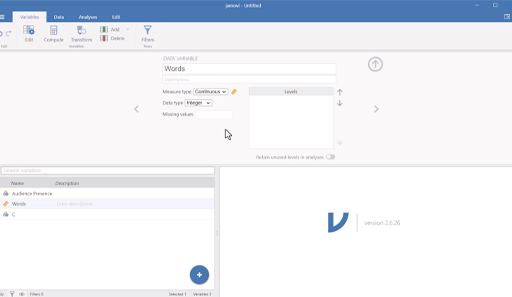
Transcript: Video 2: Adding variables
You can download a PDF copy of this tutorial here: Adding variables into Jamovi [Tip: hold Ctrl and click a link to open it in a new tab. (Hide tip)]
Now you have seen how to create variables and enter data into Jamovi, you can practise these skills yourself using the additional dataset provided in PDF format below. Remember to open the link in a new tab or window so you can refer back to the course as you go through the document.
File: Entering data into Jamovi exercise
This practice activity will give you the opportunity to create your own variables and enter participant data into Jamovi independently, helping to reinforce the steps demonstrated in the video.