5.2 Creating an OER for language learning
"Create Language OER" by OPENLang Network is licensed under CC BY 4.0
It’s useful to follow specific steps for creating a language OER. Have a look at the questions of the checklist below in order to reflect on the actions that you need to take:
- Type of Open Materials: What kind of digital language material are you planning to create? (Website/ a textbook/a module/ a lesson plan/ an (interactive) activity/ a video/ an audio/ a ppt presentation/ a game etc.).
- Learning Objectives: Which are your overall and specific learning objectives? (Linguistic, soft skills etc.)
- Target group: For whom do you create this material?
- Tools for Authoring Open Materials: Which tools will you use to create your language digital content? (Wordpress, GoogleDocs, Wikieducator, Quizlet, OER Commons Lesson Builder, MERLOT Content Builder, etc.)
- CC Licenses: Which CC license are you planning to use?
- Reference/Attribution (final attribution): Have you created your OER’s reference using an open attribution builder or using the TASL model?
- OER repository/platform: Have you decided in which OER repository will you share your open licensed language content?
Figure 1 presents the key aspects teachers should consider before starting the process of creating an OER, including the target audience (language level, nationality, age, gender, etc.), existing OER availability and changes needed (types/formats of OER, existing databases), and design challenges (content, size, formatting, pictures, etc.).
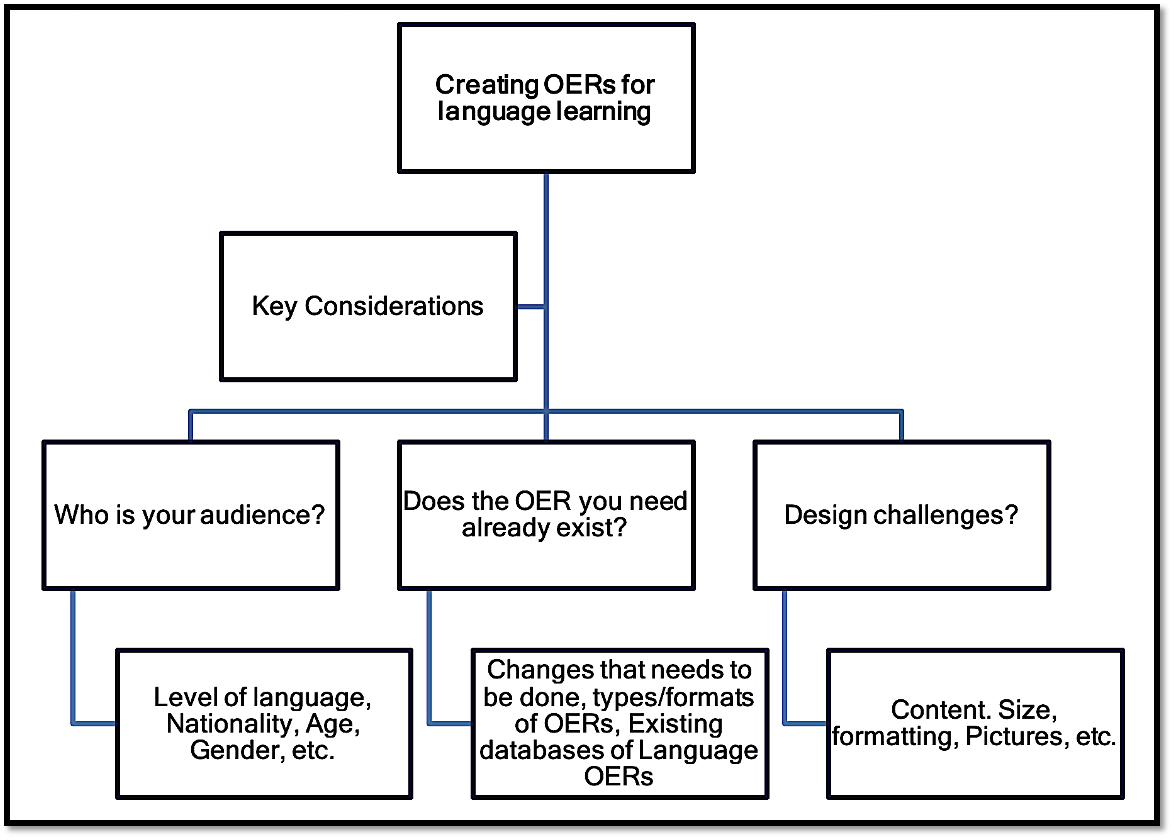
Figure 1. Key aspects teachers should consider when creating an OER - Source: OPENLang Network
Useful Tips on how to create a language OER
- Before starting to create your own material, search and find OERs (e.g., MOOC, open repositories and websites, and other open material that are appropriate to your teaching and learning).
- Remixing your own material with existing OERs (e.g., take two OER materials and merge them into a new OER).
- Clearly state the reason and purpose of the OER, and why it is relevant for other language teachers or trainers – all your content should be actual and connected with said purpose.
- Don’t use difficult or complex language.
- Try to use authentic content.
- Try to keep your OER both compact in size, and as a complete unit for studying by itself.
- Ensure your OER is easy to access.
- Enrich your content by linking it with other resources.
- Aim for clarity, conciseness, and coherence of your material.
- Deliver your OERs in open formats to promote further reuse and remix.
- Leverage open-source software which is easy to use and cross-platform.
- Be sure that your OER is free from copyright protected content.
- Improve your OER by enabling other teachers to give you feedback and suggestions.
- Develop your OER within an online environment. Some sites offer automated processes for licensing and deploying the resource to the database.
- Decide on the OER formats you intend to create: 1) Audio: FLAC, Ogg, Vorbis, MP3; 2) Images: GIF, OpenJPEG, 2) Images: GIF, OpenJPEG, PNG, SVG, WebP; 3) Presentation: ODP; 4) Text: CSV, ePUB, HTML, PDF, SXW, TXT, XHTML, XML.; 5) Video: MPEG-4, WebM, Ogg Theora.
Learning Activity 2
Watch the following video that presents useful tips for instructors on creating OER and find the 4 basic tips proposed by Jung & Hong (2016).
Tech tools for creation of language OERs
There are many options when it comes to software that supports the development and publishing of OERs. With regards to the creation of language OERs, the “European Centre of Modern Languages Centre - ECML Inventory Tools platform” (Figure 2) is the ideal repository of freely available online tools and open educational resources for language teaching and learning which is developed by the ICT-REV project.
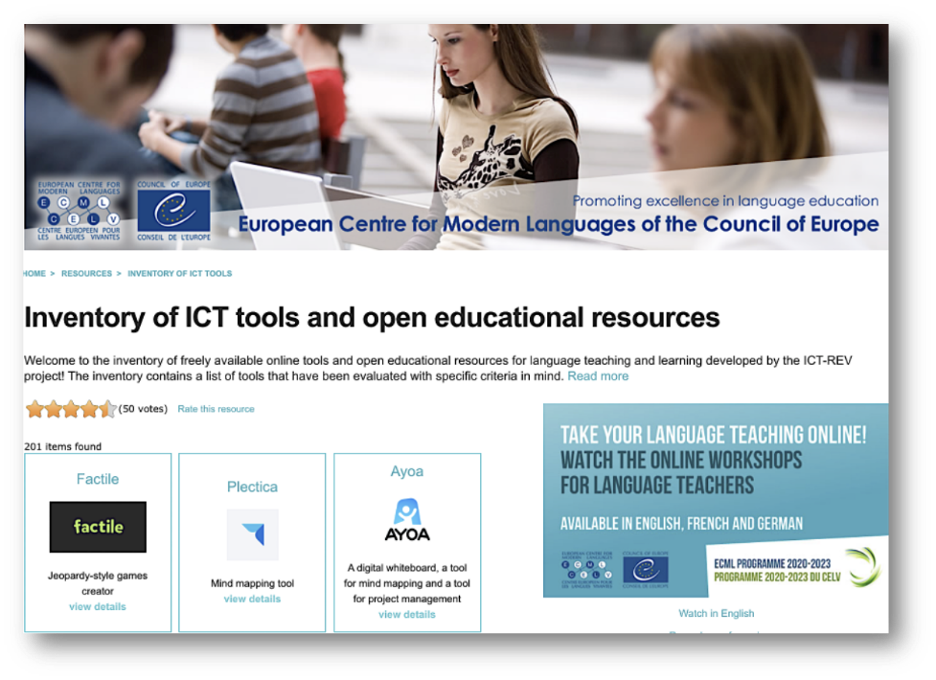
Figure 2. ECML Inventory of Tools platform - Source: https://www.ecml.at/en/Resources/ICT
The inventory which is offered in three (3) languages (EN, FR, GE) contains more than 200 tools that have been evaluated with specific criteria in mind and is periodically updated. Using a specific set of filters you can explore and find a rich variety of tools but you can also rate the resource, add your comment or recommend your tool or even add your Open Educational language Practice! What is also interesting is that this service provides you with all the necessary info needed for each tool that you certainly need as a language teacher before starting using the tool for the creation of language OERs. You can find selected examples in Table 1.
|
Tool |
Description & Review |
|
Kahoot is a tool that allows language teachers with an interest in gamification to design and use learning games in their classroom. There are 4 different formats available: quiz, discussion, survey or jumble. Language teachers can create and share the links to an OER repository adding also the license of their preference. |
|
|
Audacity is a tool for recording and editing sound files. Requires downloading, for use. It is completely free and it was developed by a group of volunteers as open source. |
|
|
PBworks is a wiki-based tool that helps you create web pages, share files, manage projects and collaborate with other users. Accessible from any PC. Teachers generally use it for collaborative writing and classroom management. A free, basic account allows up to 100 students. A collaborative tool that language teachers can have students use, to work on projects. Any project can be uploaded to any OER repository and teachers can also add the license of their preference. |
|
|
Toony Tool is an online cartoon, comic and meme creator. Users can design their cartoons, comics and memes using the images, characters and props provided on the website, or they can use their own images. Once finished, they then have the option to share it online or download and print it out. The interface is very simple and easy to use. This is a great resource for making cartoons, comics and memes. It’s best suited for younger students. |
|
|
Padlet is an online collaborative platform that allows users to share files, pictures, videos and audio on a dashboard. A great tool for teachers to create their own dashboard where they can share relevant content with their students. The generated link can be also uploaded to any OER repository and teachers can also add the license of their preference. |
|
|
PowToon is a tool for creating short animated video presentations. Interface is easy to use and there are a variety of tutorials to help you create your own PowToons. There are a variety of different templates to choose from, depending on the content of your presentation. These include cartoons and infographics. Good resource for classroom presentations. The design is inviting and would make the process of creating presentations more interesting for students. It would also be a good resource for teachers to present information to their students. The content can be shared to any OER repository. |
Table 1. Selected tools presented in the ECML Inventory of Tools platform.
Learning Activity 3
Visit the ECML Inventory of Tools platform, use the search filters to find a tool (i.e. audacity) in order to create an audio language OER. Watch the video tutorial of the tool, create the audio OER and then upload this to an OER repository of your choice.
Other tools that language teachers can use to create their own digital materials are OER author tools offered by specific repositories such as the 1) “OER commons OpenAuthor” (Figure 3); 2) the OER development tool by MERLOT, 3) “OpenStax CNX” by RISE university or on specific websites like 3) Wikieducator.
Example 1: OER Commons Open Author.
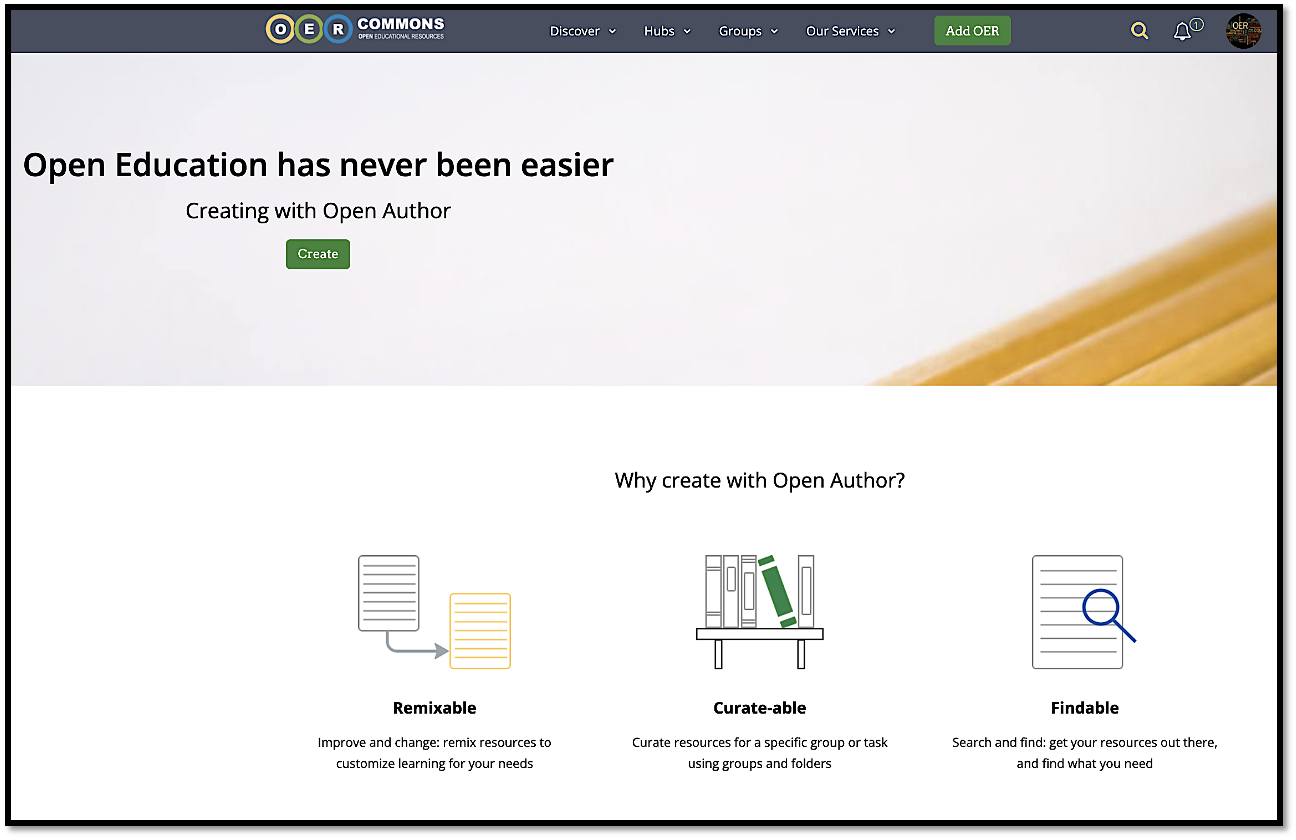
Figure 3: OER Commons Open Author - Source: https://www.oercommons.org/authoring-overview
The Open Author is an easy to use online development tool of OER Commons, created in 2007 by the Institute for the Study of Knowledge Management in Education (ISKME). Watch the following video for OER Commons’ Open Author to learn more about authoring and remixing open resources using ISKME's OER Commons teaching and learning network and tools.
For more info check this useful guide on the use of OER Commons Open Author.
Example 2:
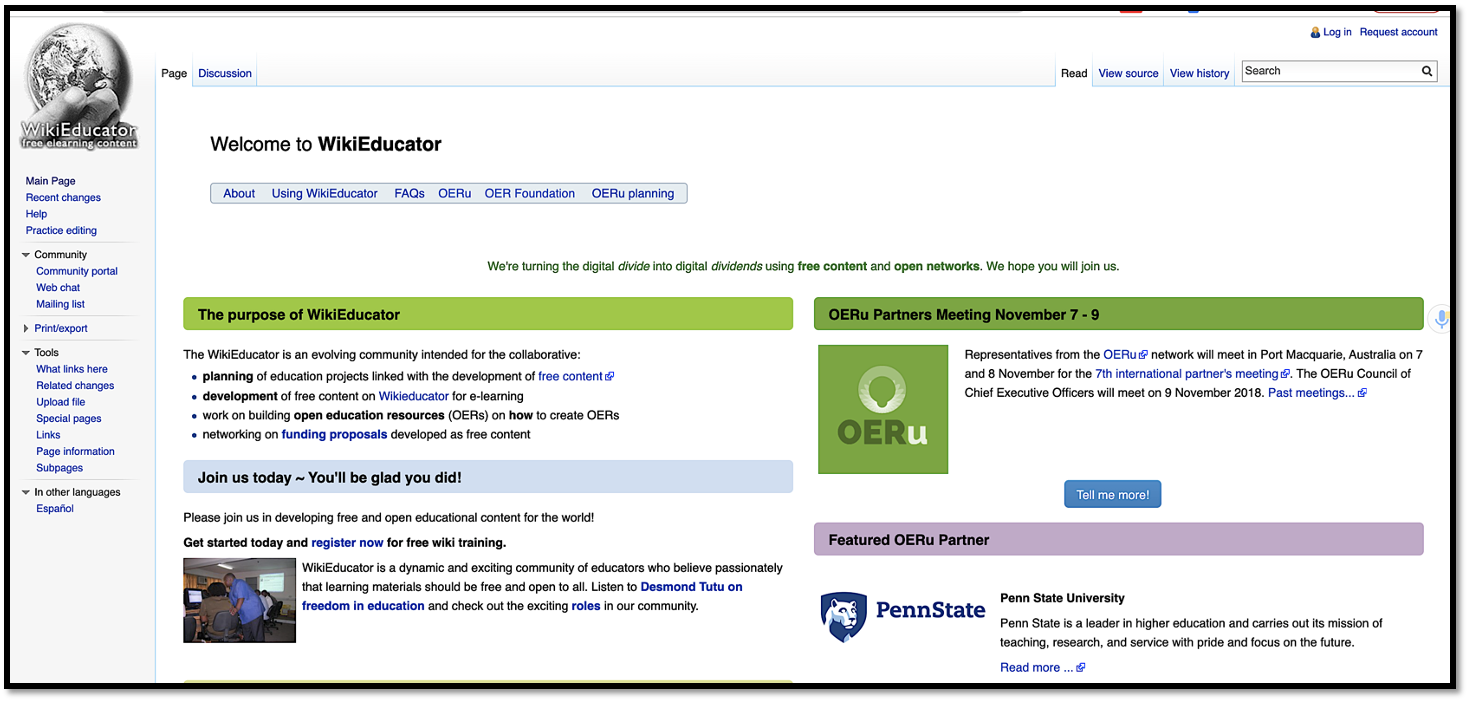
Figure 4: WikiEducator - Source: https://wikieducator.org/Main_Page
WikiEducator is an international wiki community and home for OERu course development. For example, the materials for this course were developed and are hosted on the WikiEducator website. The WikiEducator community aims to develop open content resources in support of all national curricula. This represents a return to the core values of education, namely to share knowledge freely. You can watch this webinar organised by the CALL Interest Section - TESOL, in which Nellie Deutsch is presenting WikiEducator and describes how language teachers can use it in an efficient and creative way.
- If the OER were originally created by Open Author in OER Common, and have been given use licenses that allow for their editing and remixing, you could use the "remix this resource" option to copy and edit an Open Author resource.
- If you have found OER to adapt or remix, you should first check to see if there are any built-in authoring tools available from the repository where you found the OER.
- What do we mean by localisation and OER? It refers to the process of taking educational resources developed for one context and adapting them for other contexts (i.e., how to make OER content usable and adaptable to meet your local needs).
Additional Resources
The OER Starter Kit (eBook) by Abbey Elder: This starter kit has been created to provide instructors with an introduction to the use and creation of open educational resources (OER). The text is broken into five sections: Getting Started, Copyright, Finding OER, Teaching with OER, and Creating OER. Although some chapters contain more advanced content, the starter kit is primarily intended for users who are entirely new to Open Education. [Version 1.1. Revised September 5th, 2019.] The OER Starter Kit is licensed under a Creative Commons Attribution 4.0 International License, except where otherwise noted.
References
Aesoph, L.M. (2016). Adaptation Guide. Victoria, BC: BCcampus. Retrieved from https://opentextbc.ca/adaptopentextbook/
Elder, A.K. (2019). The OER Starter Kit. Ames, IA: Iowa State University Digital Press. DOI: https://doi.org/10.31274/isudp.